
Stats
We may earn commissions from some links.We may earn commissions from links to support our work. Learn more.
Get more AI tool alerts:
About Akiflow
Why do task management tools always feel like they were designed by people who've never actually juggled multiple projects? Most end up adding more work instead of removing it. Akiflow takes a different approach. It's a calendar-based task manager that pulls everything from your workflow into one place and forces you to actually schedule when you'll do things. Not just list them. Schedule them.
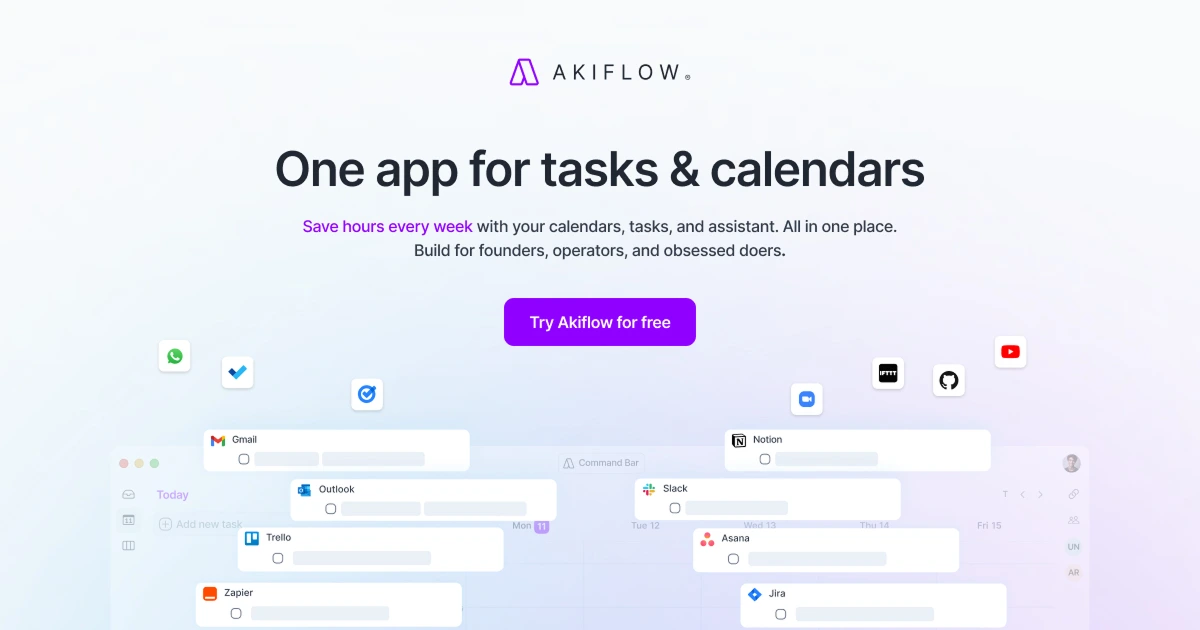
The idea is simple: tasks without time blocks don't get done. Akiflow connects to your calendar, email, Slack, project management tools, and anywhere else you track work. Then it lets you drag those tasks directly onto your calendar as time blocks. The universal command bar works across any app you're using, so you can capture tasks without switching windows. It's meant to replace the chaos of switching between 6 different apps just to figure out what you're supposed to be doing today.
Try Akiflow free for 7 days and see if time-blocking actually works for you.
What is Akiflow?
It's a time-blocking tool that consolidates tasks from multiple sources into a single interface. Think of your calendar as the main event, and every task from Notion, Todoist, Asana, Gmail, or Slack gets pulled in as potential calendar blocks.
The workflow goes like this: You collect tasks throughout the day using the command bar (keyboard shortcuts work from anywhere). Those tasks land in your inbox. Then during planning, you drag each task onto specific time slots in your calendar. The act of scheduling forces you to be realistic about what you can actually accomplish. No more infinite to-do lists that never shrink.
What makes it different from a regular calendar app? It's built around task management first. Your meetings show up, but the focus is on blocking time for actual work. And unlike project management tools that just pile tasks into lists, Akiflow makes you commit to when things will happen. It syncs bidirectionally, so changes in Akiflow update your Google Calendar or Outlook, and vice versa.
Who is Akiflow For?
This isn't for people with 3 tasks a week. It's for people drowning in inputs.
Executives and managers who spend 20+ hours weekly in meetings and need to protect focus time. The calendar integration shows exactly where your time actually goes. One user mentioned reclaiming 2 hours daily just by seeing how fragmented their schedule was and consolidating blocks.
Consultants and freelancers juggling 5-8 client projects simultaneously. You need to track deliverables across different communication channels while switching contexts constantly. Akiflow's integrations mean a Slack message from Client A and an email from Client B both become scheduled tasks without manual entry.
Product managers and operations people who live between Jira, Notion, Asana, and 47 Slack channels. If you're already using multiple project tools and can't convince everyone to switch to one system, Akiflow becomes the meta-layer that makes sense of everything.
People managing fewer than 10 tasks weekly probably don't need this level of orchestration. You could just use Apple Reminders. But if you're tracking 30-50 active items and wondering why nothing gets finished, the problem might be that you never actually schedule time to do them.
Akiflow Pros and Cons
The balance here depends on whether you already believe in time-blocking. If you do, Akiflow removes most of the friction. If you don't, it's an expensive way to learn a productivity method that doesn't work for everyone. The integrations are genuinely useful, but only if you're already using the tools it connects to. Otherwise you're paying for features you won't touch.
Akiflow Features: Universal Capture, Time-Blocking & Calendar Sync
Universal Command Bar Across Every App
Hit a keyboard shortcut from Gmail, Slack, your browser, anywhere. A command bar pops up. Type your task, set a date, assign a project, done. Takes about 5 seconds total and you never leave the app you were working in. This matters more than it sounds like. The friction of "let me switch to my task manager" means most tasks never get captured. They live in your head creating background anxiety instead of landing in a system. The command bar works on Mac and Windows across basically every application. You can also use it to search existing tasks, reschedule things, or jump to specific projects.
Time-Blocking with Drag-and-Drop Scheduling
Your task inbox lives on the left. Your calendar lives on the right. You drag tasks onto time slots. That's the core interaction. Akiflow will suggest durations based on the task title, but you can adjust. The point is to move tasks from "someday" to "Tuesday at 2pm for 45 minutes." Research shows scheduled tasks are 3x more likely to get completed than items on open-ended lists. Akiflow makes scheduling fast enough that you might actually do it. You can also create recurring task blocks for things like weekly planning or Friday admin time.
Bidirectional Calendar Sync
Changes flow both ways between Akiflow and your Google Calendar or Outlook. Schedule something in Akiflow, it appears in Google Calendar. Move it in Google Calendar, Akiflow updates. This means your team can still see your availability and scheduled focus blocks even though they don't use Akiflow. The sync includes meeting details, so Zoom links and attendee lists appear in Akiflow too. You're not managing two separate calendars. It's one calendar with two interfaces.
Task Integrations Across 50+ Tools
Connects to Notion, Todoist, Asana, ClickUp, Jira, Linear, GitHub, and basically every major project tool. Also pulls from Gmail, Outlook, Slack, and other communication apps. The integration isn't just one-way import. Complete a task in Akiflow and it marks complete in the source tool. Move a due date and it updates everywhere. You can filter which projects or labels sync, so you're not drowning in irrelevant tasks from shared workspaces. The latest tools keep getting added to their integration library.
Focus Mode and Time Tracking
Start a focus session and Akiflow tracks time against specific tasks. It's basic time tracking, not Toggl-level analytics. You get a log of what you worked on and for how long. The focus mode is meant to reduce switching: you commit to working on Task X for the next 90 minutes, and Akiflow keeps that task front and center. Some people report this helps with context switching costs, especially when juggling multiple projects. Others find it doesn't add much beyond a basic timer. Depends whether you need the structure.
1:1 Coaching Call for Onboarding
Both pricing tiers include a one-on-one coaching call to help set up your workflow. This isn't a sales call. It's actual onboarding where someone walks through your specific tools and helps configure integrations. For a productivity tool that requires behavior change, this makes a difference. Most apps give you documentation and hope you figure it out. Akiflow's call helped users avoid the "download it, get overwhelmed, never open it again" cycle that kills most productivity apps within a week.
Start your 7-day free trial and test the integrations with your actual workflow.
Akiflow vs Alternatives: Pricing & Feature Comparison
Motion tries to automatically schedule your tasks using AI. Sounds great until the AI blocks your deep work at 9am for low-priority admin tasks because the algorithm doesn't understand your energy levels. It's $34/month like Akiflow's monthly plan, but forces you to trust the automation. Some people love this. Others find constantly overriding the AI defeats the purpose. Motion wins if you want set-it-and-forget-it scheduling and trust algorithms to manage your day.
Superlist has a generous free tier and an $8/month Pro plan, making it significantly cheaper than Akiflow. It's built for team collaboration with shared lists, assignments, and a clean modern interface. The focus is on collaborative task management rather than calendar-based time-blocking. Choose Superlist if you need team features and don't require heavy integrations or time-blocking workflows. Akiflow is more powerful for solo productivity orchestration but Superlist handles team coordination better at a lower price point.
Todoist at $4/month is the budget option. It's a task manager, not a calendar tool. No time-blocking, no schedule integration, just lists with due dates. If you don't need calendar integration or time-blocking, Todoist is cheaper and simpler. But comparing them is like comparing a car to a bicycle. Different tools for different needs. If you're already using Todoist and want time-blocking, Akiflow can integrate with it rather than replace it.
Akiflow sits in the middle on price and high on integrations. You're paying for the meta-layer that connects everything you already use. Motion is AI automation. Superlist is team collaboration. Todoist is basic task management. Pick based on whether you want manual control (Akiflow), have AI do it (Motion), collaborate with a team (Superlist), or just track tasks without scheduling (Todoist).
Akiflow Pricing: Plans & Cost Breakdown
Both tiers include the same features. The yearly plan is obviously the better deal if you're committed. $19/month puts it at $228 annually, while monthly is $408 per year. You're saving $180 by committing upfront. The 7-day free trial applies to both plans, so you can test before the first charge hits.
There's no free tier. No freemium option with limited features. It's trial or paid. This makes sense for a tool targeting professionals who theoretically value their time at more than $34/month. But it creates a barrier. You can't casually try it for a few weeks like you can with Notion's free plan.
The 1:1 coaching call is worth highlighting because most $20-30/month SaaS tools don't include personal onboarding. That call helps set up your specific integrations and workflow, which matters for a tool that requires behavior change to work.
Compared to alternatives: Motion is also $34/month with no yearly discount. Superlist offers a free tier and $8/month Pro plan. Todoist is $4-6/month. Akiflow's pricing makes sense if you're using 5+ integrations and need the universal command bar. It's expensive if you're just looking for basic time-blocking. You could do that with Google Calendar and manual discipline for free.
Worth noting: both plans include unlimited tasks, meetings, and integrations. No artificial limits like "50 tasks per month" or "3 integrations max." Once you're paying, you're paying for full access.
Is Akiflow Worth It? Honest Review
I've been using Akiflow for several months now, and it's become what I call my second brain for time management. If you're juggling a lot of tasks and meetings across multiple tools, this is one of the best options available.
What sold me was the integrations. I use Notion for long-term projects, Slack for immediate requests, and Gmail for client work. Before Akiflow, I was constantly switching between these apps trying to remember what needed doing. Now everything flows into one inbox, and I can see my entire workload in one place when I need it. The universal command bar means I can capture a task from anywhere without breaking focus, which sounds minor but saves probably 30 minutes daily in context switching.
The time-blocking features are genuinely amazing. I thought I knew what needed doing each day, but seeing it on a calendar made me realize I was scheduling 12 hours of work into 6-hour windows. Akiflow forces you to be realistic. I now schedule 5-6 focused tasks per day instead of pretending I'll finish 15. My completion rate went up because I'm finally honest about time.
The 1:1 coaching call during setup helped a lot. They walked me through configuring my specific integrations and caught some workflow issues I wouldn't have noticed. Without that call, I probably would've set it up wrong and given up after a week.
Is it perfect? No. It's expensive compared to simpler task managers. The mobile app works but feels like an afterthought compared to desktop. And if you're not disciplined about daily planning, you're just paying $34/month for a fancy inbox. The value comes from using it consistently, not from the software itself.
But for my workflow where I'm managing 30-50 active tasks across 6 different tools, Akiflow has definitely improved my productivity. I finish more, stress less, and spend way less time wondering what I'm supposed to be working on.
Akiflow Review: Final Thoughts
Akiflow works if you're already drowning in multiple tools and need something to make sense of everything. The calendar-first approach and universal command bar are legitimately useful for people managing complex workflows. It's not cheap at $34/month, but that's less than one billable hour for most professionals. If it saves you 2-3 hours weekly, it pays for itself.
Skip this if you're managing fewer than 15 active tasks weekly or if you're happy with your current system. The learning curve and price don't make sense for simple workflows. Also skip if you're not willing to do daily planning sessions. The software only works if you use it consistently. For everyone else dealing with task chaos across Slack, email, and project tools, Akiflow might be the consolidation layer you've been looking for. Check out the top-rated tools if you want to compare other productivity options. Motion and Superlist are solid alternatives if Akiflow's approach doesn't fit.
Start your 7-day free trial of Akiflow and see if time-blocking fixes your productivity issues.
FAQ
How much does Akiflow cost?
Akiflow costs $34 per month billed monthly, or $19 per month if you pay annually (which saves 44% compared to monthly). Both plans include unlimited integrations, tasks, meetings, and a 1:1 coaching call. There's a 7-day free trial for both pricing tiers, but no permanent free plan.
Is Akiflow worth it?
Worth it if you're managing 20+ tasks weekly across multiple tools and need time-blocking to actually get things done. The integrations and universal command bar save significant time on context switching. Not worth it if you have simple workflows or aren't willing to do daily planning sessions consistently.
Is Akiflow better than Morgen?
Akiflow focuses on time-blocking tasks pulled from multiple integrations with a universal command bar. Morgen is primarily a calendar consolidation tool that brings multiple calendars into one view. Akiflow is better for task management and scheduling work. Morgen is better if you just need to see multiple calendars together without the task management layer.
Is Akiflow easy to learn and use?
The interface is clean but time-blocking itself has a learning curve if you've never done it. The drag-and-drop scheduling is intuitive, but estimating task duration and protecting your blocks takes practice. The included 1:1 coaching call helps significantly with onboarding. Plan for 1-2 weeks to get comfortable with the workflow.
How does Akiflow compare to competitors?
Against Motion, Akiflow gives you manual control while Motion uses AI auto-scheduling. Against Superlist, Akiflow has more integrations and time-blocking features while Superlist excels at team collaboration with a lower price point. Against Todoist, Akiflow adds time-blocking and calendar integration but costs 5-8x more. Choose based on whether you want manual control, AI automation, team collaboration, or simple task lists.


