
Stats
We may earn commissions from some links.We may earn commissions from links to support our work. Learn more.
Get more AI tool alerts:
About Superlist
You're probably juggling a personal to-do app, a work project manager, a notes app, and maybe a shared grocery list with your partner. That's four apps minimum just to remember what you need to do today. Superlist thinks this is ridiculous, and honestly, so do most people who've tried managing their lives across multiple disconnected tools.
Superlist is a task management and note-taking app designed to handle everything from daily errands to complex work projects in one place. It combines tasks, subtasks, notes, reminders, and AI-powered features so you don't need separate apps for your personal life and professional responsibilities. The design feels light and approachable, not like enterprise software that requires a training manual.
Try Superlist here to organize your entire day in one app.
What is Superlist?
At its core, it's a list app that grew up. You can create tasks, nest them infinitely deep with subtasks, attach detailed notes to any item, and set up recurring reminders for habits and routines. The interface works across Mac, iOS, Android, and includes home screen and lock screen widgets so you can add tasks without opening the full app.
What separates it from basic to-do lists is the integration between tasks and notes. Instead of writing "Call dentist" in one app and keeping the phone number and insurance info somewhere else, you attach those details directly to the task. Everything stays together. No more switching contexts or hunting through three different tools to remember why you added something to your list.
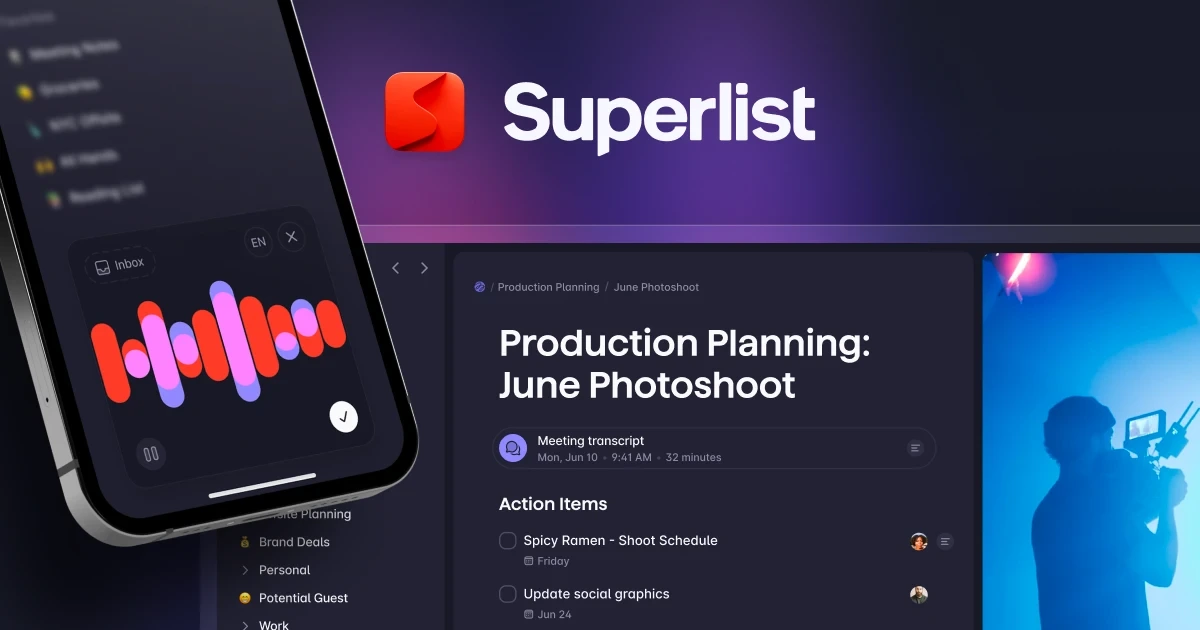
The AI features lean heavily into voice input and meeting notes. You can talk to add tasks naturally (like saying "dentist Friday at 2pm"), and the app parses it correctly. The meeting notes feature transcribes conversations, pulls out action items, and assigns due dates without needing a bot to join your calls.
Who is Superlist For?
This works best for people managing multiple life domains who want fewer apps cluttering their phone. Specific scenarios where it makes sense:
- Professionals juggling work and home: If you're tracking 15 work projects and also need to remember the grocery list and your kid's dentist appointment, having one unified view prevents things from falling through the cracks.
- People who hate heavy project management tools: Not everyone needs Gantt charts and resource allocation. If you want to plan a wedding, manage freelance clients, and track personal goals without feeling like you're using enterprise software, this is lighter-weight.
- Voice-first users: If you drive a lot, have your hands full with kids, or just think faster than you type, the voice input and AI parsing actually works well enough to use regularly.
- Teams or families sharing lists: The app supports collaboration, so couples can share grocery lists and chores, or small teams can coordinate without paying for full project management software.
Skip this if you're deeply embedded in an ecosystem like Notion or need advanced features like time tracking, invoicing, or complex dependencies between tasks.
Superlist Pros and Cons
Pros:
- Tasks and notes combined: Context lives with the task instead of scattered across apps
- Infinite nesting: Break huge projects into layers of subtasks without hitting arbitrary limits
- Voice input that works: Talking "dentist Friday 2pm" actually creates the right task with correct date
- AI meeting notes without bots: Records and transcribes conversations without making everyone see a bot in the participant list
- Recurring tasks built-in: Daily habits and monthly bills repeat automatically without manual recreation
Cons:
- No offline mode mentioned: Unclear how much functionality works without internet
- Learning curve for power features: The simplicity hides complexity that takes time to discover
- Mobile-first design: Desktop app exists but the features highlight iOS widgets and mobile use cases
- Collaboration limits unclear: Doesn't specify how many people can share lists or if there are team size restrictions
- No pricing transparency: The website says "sign up for free" but doesn't show paid tier costs upfront
The balance here leans positive for individual users and small teams. The lack of visible pricing is frustrating (you have to sign up to see upgrade costs), and the emphasis on mobile-first design might annoy desktop power users who live in their computers all day. But the core functionality is solid for the target use case: managing your entire life without app-switching fatigue.
Superlist Features: AI Integration, Nested Organization & Voice Tasks
Tasks Plus Notes in One View
Most task apps make you choose between simplicity (just checkboxes) or complexity (full project management). Superlist lets you start simple but add depth when needed. Each task can contain formatted notes, details, or context. Planning a trip? The task "Book flights" can contain your budget notes, preferred airlines, and flight times you're considering. All attached to that one item.
This prevents the common problem where you write a task in one app, keep research in another, and by the time you actually do the task, you've forgotten where you saved the context. The notes support formatting, so it's not just plain text dump.
Infinitely Nested Lists and Subtasks
Breaking down projects into manageable pieces is standard advice. Actually doing it in most apps hits limits fast. You get three levels of subtasks, maybe four, then the app chokes or the interface becomes unusable. Superlist lets you nest as deep as makes sense for your project.
Event planning example: Top level is "Company Retreat," nested under that are "Venue," "Catering," "Activities," and "Travel." Under "Venue" you have "Research locations," "Get quotes," "Book deposit," and each of those can have their own subtasks. It doesn't fight you on structure. Some tasks need two levels. Some need six.
The visual hierarchy stays readable even when you're five layers deep, which is rare. Most apps turn into an indented mess that requires horizontal scrolling.
Voice Assistant and Quick Add
The "Talk" feature lets you speak tasks naturally and it figures out the details. Say "buy milk" and it creates a task. Say "dentist appointment Friday at 2pm" and it creates a task with that date and time already set. No manual date picking or time entry.
This sounds basic but most voice assistants still struggle with context. The difference between "remind me about the dentist" (no date) and "dentist Friday at 2pm" (specific date) is handled correctly. Quick add from widgets means you can capture thoughts from your home screen or lock screen in under 3 seconds.
Sometimes the parsing isn't perfect with complex requests. Say something like "call Sarah about the Johnson project proposal by end of week" and it might miss the "by end of week" part. But for 80% of quick captures, it's faster than typing.
AI Meeting Notes Without Bots
Record a meeting or conversation and the AI transcribes it, generates a summary, and extracts action items with suggested due dates. The "no bots" part matters because Zoom meetings with six different AI bots joining have become ridiculous. This records locally or from your device, processes it, and outputs structured notes.
The summaries are actually useful, not just word clouds. You get:
- Main discussion points broken into sections
- Action items formatted as tasks you can add to your lists
- Due dates suggested based on context ("we should do this by Friday" becomes a task due Friday)
The AI chat feature lets you ask questions about the meeting content afterward. "What did Sarah say about the budget?" pulls relevant quotes. This is helpful for hour-long meetings where you remember someone said something important but can't pinpoint when.
Recurring Tasks for Habits and Bills
Monthly bills, daily habits, weekly chores - anything that repeats gets automated. You set it once, and the task shows up on schedule. No more manually recreating "pay rent" on the first of every month or "water plants" every Sunday.
If you complete a task early or late, the next occurrence adjusts intelligently based on completion date or sticks to the original schedule, depending on what makes sense. Missing a daily habit doesn't create 47 overdue instances cluttering your list. It just shows today's instance and moves on.
Widgets for iOS Home and Lock Screens
Add tasks without unlocking your phone or opening the app. The lock screen widget shows your next few tasks. The home screen widget lets you type or tap to add new items. This sounds minor but removing friction matters for capture.
The widgets actually look good, which is rarer than it should be. Some apps ship widgets that look like programmer art from 2012. These match iOS design standards and don't look out of place next to your other carefully chosen home screen aesthetics.
Start organizing your tasks and notes together with Superlist.
Superlist vs Alternatives: Pricing & Feature Comparison
Nested Subtasks: Superlist offers infinite nesting, letting you break down projects as deep as needed. Todoist caps at 4 levels, which works for simple projects but becomes restrictive for complex work. Things 3 only supports 2 levels with checklist items, making it suitable for straightforward task management but limiting for detailed project breakdown.
Notes and Context: Superlist integrates formatted notes directly with tasks, keeping all context in one place. Todoist only offers comments, which feel tacked on rather than integrated. Things 3 has a separate notes section that doesn't flow naturally with the task structure.
Voice Input: Superlist's AI-powered natural language processing lets you speak tasks naturally and have them parsed correctly with dates and times. Todoist offers basic text input only. Things 3 has no voice input at all.
AI Meeting Notes: Superlist records and transcribes meetings without requiring bots to join calls, extracting action items and summaries automatically. Neither Todoist nor Things 3 offer this functionality.
Recurring Tasks: All three apps handle recurring tasks, but with different levels of sophistication. Superlist offers advanced scheduling that handles edge cases intelligently. Todoist has a solid implementation that works well for most use cases. Things 3 provides limited recurring options.
Platform Support: Todoist wins here with support for all platforms. Superlist covers Mac, iOS, Android, and web, which works for most users. Things 3 is Apple ecosystem only, requiring separate purchases for iOS ($49.99) and Mac ($49.99).
Pricing: Superlist offers a free tier, plus paid plans at $5/month ($59/year) for Basic and $21/month ($249/year) for Super with advanced AI features. Todoist costs $5/month ($48/year). Things 3 requires a one-time payment of roughly $100 total for both platforms.
Superlist Pricing: Plans & Cost Breakdown
Superlist has very simple pricing that accommodates everyone:
- Free: $0/month. Up to 5 private and shared lists (with up to 5 people), unlimited tasks and notes, 25MB uploads & 500MB storage, available on macOS, iOS, Android, and Web.
- Basic: $5/month per person, or $59/year. Unlimited lists, sublists, and shared lists (with team and guests), unlimited team members, access to all integrations, Voice AI, 100MB uploads & 25GB storage.
- Super: $21/month per person, or $249/year. Everything in Basic, plus unlimited AI Meeting Notes, unlimited AI Chat messages, AI generation with Make AI, and email + Slack task summarization.
A 7-day free trial is available for paid plans.
Compared to competitors: Todoist is $5/month ($48/year), Things 3 is $49.99 one-time per platform, and Notion starts at $10/month. Superlist's Basic plan is competitive for a task and notes app with AI features, and the Super plan is priced for users who need unlimited AI-powered meeting notes and advanced automation.
Free tier generosity matters. The free plan allows unlimited tasks and notes, but limits the number of lists and collaborators. Paid plans unlock more advanced features and higher storage limits.
Is Superlist Worth It? Honest Review
This is the to-do list app that gets used daily. Not because it's perfect, but because it doesn't create friction. The Mac app is fast, doesn't feel like an Electron web wrapper, and the keyboard shortcuts work intuitively. The iOS widgets mean adding a task takes 3 seconds from the lock screen, which sounds minor until you realize how many thoughts you lose because opening an app feels like too much effort in the moment.
The AI voice integration is legitimately useful, not gimmicky. Saying "add task: call contractor about leak, Friday morning" while driving and having it parse correctly saves the mental overhead of remembering to type it later. The meeting notes feature removes the need for separate transcription tools if you're already using Superlist for task management.
Design matters here. Everything looks intentional and clean, not like a developer threw together a functional tool and called it done. You're looking at this app multiple times daily, potentially for years. It shouldn't feel like homework software. Superlist doesn't.
The combination of lightweight feel with deep capability is rare. You can use it for simple grocery lists without feeling like you're only using 10% of the tool, but when you need to plan a complex project with nested subtasks and detailed notes, the functionality is there. Not many apps thread that needle successfully. The pricing is now transparent and competitive, and the core product is solid.
Superlist Review: Final Verdict
Superlist makes sense if you're tired of maintaining separate systems for work tasks, personal errands, notes, and shared family lists. The AI features, especially voice input and meeting notes, provide actual utility beyond marketing hype. The infinite nesting and task-plus-notes approach handles both simple daily organization and complex project planning without forcing you into heavyweight project management software.
The mobile-first design with strong iOS widget support is great for people who manage their lives from their phones, less ideal for desktop-centric workers. The now-transparent pricing makes it easier to evaluate. If you're deeply invested in another ecosystem like Notion or Obsidian, switching probably isn't worth the migration effort. But if you're currently juggling multiple apps and want consolidation, or if you're starting fresh with task management, this is worth trying.
Give Superlist a try and see if one app can replace your scattered task and note systems.
FAQ
Does Superlist work offline?
Yes! Superlist keeps working offline and then syncs when you reconnect to the internet.
Can multiple people share lists and collaborate?
Yes, Superlist supports sharing lists for families and small teams. The Basic plan allows unlimited team members in shared lists, and the Free plan allows up to 5 people per shared list.
What platforms does Superlist support?
Mac, iOS, Android, and web. No Windows or Linux support mentioned, which limits its usefulness if you're not in the Apple or Android ecosystem or need cross-platform flexibility.
How does the AI meeting notes feature work without bots?
It records audio locally from your device rather than joining as a participant in video calls. You start a recording manually, it transcribes and processes the content, then outputs structured notes with action items and summaries.
Is there a limit to how deep you can nest tasks?
No specified limit. The marketing emphasizes "infinitely nested" which means practically speaking you can go as deep as makes sense for your project hierarchy without hitting artificial restrictions.


