
Stats
We may earn commissions from some links.We may earn commissions from links to support our work. Learn more.
Get more AI tool alerts:
About Cap
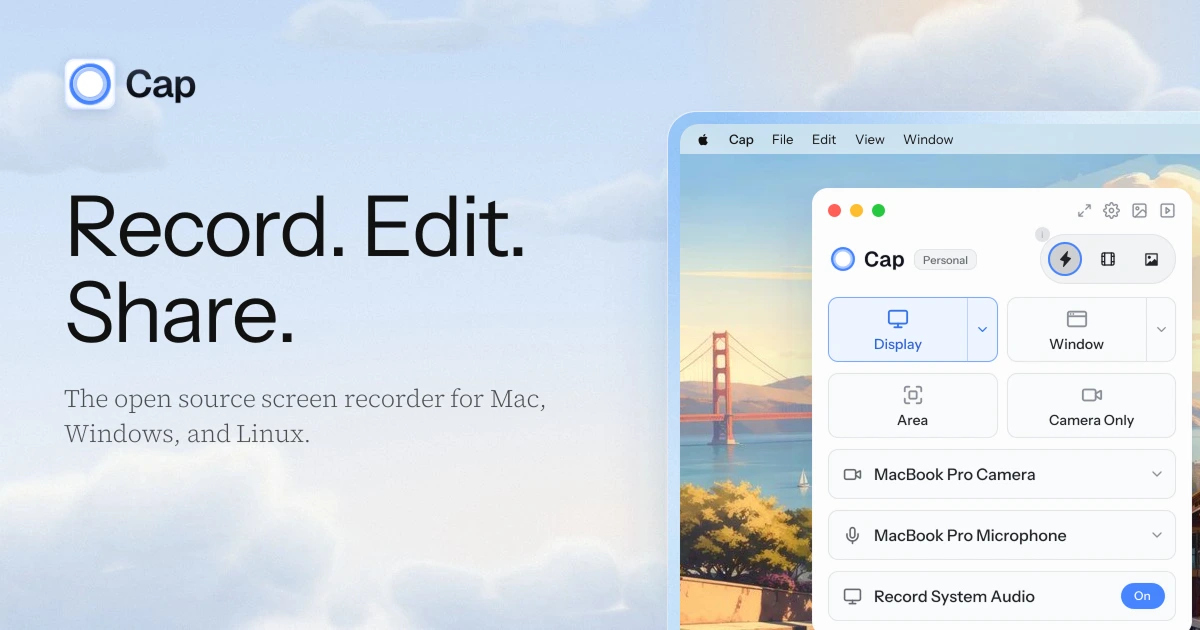
Cap is an open-source screen recorder that does two jobs most tools split apart. Instant Mode works like Loom: you record, Cap uploads while you talk, and the share link is on your clipboard when you stop. Studio Mode works more like Screen Studio: Cap records locally, then opens an editor with auto zooms, backgrounds, captions and cursor smoothing.
My favorite thing about Cap is how fast editing feels. Studio Mode edits on your own machine, so scrubbing, trimming and adding zooms are really snappy compared with the cloud editors in similar tools.
I recommend Cap for teams that want a Loom replacement without Loom's per-seat bill, and for creators who want polished screen recordings on Windows or Linux as well as Mac. The open-source code, self-hosting option and bring-your-own storage are real advantages, not marketing extras.
What is Cap?
Cap is a desktop screen recorder for macOS, Windows and Linux, plus a web app for sharing, comments and analytics. Most of the code is AGPLv3, with over 24,000 stars on GitHub, and you can run the whole stack on your own server with Docker.
The app has three capture modes:
- Instant Mode uploads during the recording and gives you a shareable link the moment you stop. It needs an internet connection.
- Studio Mode saves an editable project with separate screen, camera and microphone tracks. It works offline, and Cap sets no recording length limit beyond your storage.
- Screenshot Mode captures a window or area and lets you add a background, padding, arrows, text and blur.
Cap moved to a fully native desktop app in October 2026 (version 0.6.1), and version 0.6.2 added faster exports, a redesigned capture picker and seven interface languages.
Who is Cap For?
Cap fits three buyers especially well.
- Teams leaving Loom. You get instant links, comments, reactions, viewer analytics, password-protected shares and a built-in Loom importer. Cap Pro owners also get free concierge migration.
- Creators making product demos and tutorials. Studio Mode gives you the auto zoom and cursor polish people buy Screen Studio for, on more platforms and at a lower price.
- Companies with storage or compliance requirements. Cap Pro can store recordings in your own S3-compatible bucket or Google Drive. Cap is SOC 2 Type II and ISO 27001 certified, offers a signed BAA for HIPAA work, and can be fully self-hosted.
Skip Cap if you mostly want an AI to edit the video for you. Tella now has an editing agent that cuts mistakes, builds layouts and creates motion graphics from a chat prompt. Cap's AI is focused on titles, summaries, chapters and transcripts.
Cap Pros and Cons
Pros
- Local editing is really snappy compared with cloud-based editors
- Instant links and a local studio editor in one app
- Runs on macOS, Windows and Linux
- 4K at 60 fps exports on every plan, including Free
- A $58 one-time license covers commercial use of the desktop editor
- Cap Pro costs $12 per user per month, or about $8 billed annually
- Bring your own S3 bucket or Google Drive, or self-host the whole platform
- CLI, MCP server and REST API for developer and agent workflows
Cons
- The Free plan is for personal use only. Any work recording, including internal team updates, needs a paid license.
- Free and Desktop License plans get 25 shareable links a month, each up to five minutes long
- AI titles, summaries, chapters and cloud transcripts require Cap Pro
- Studio captions and the keyboard overlay are still in beta
- No paid-plan free trial is listed
- Self-hosted deployments get no direct support from Cap
The licensing rule is the one to plan around. Cap is free to download and generous on features, but free use stops the moment the video is for a business. For most people that means the $29 yearly or $58 lifetime Desktop License, or Cap Pro if you need unlimited links.
Cap Features: Instant Links, Studio Editing and Self-Hosting
Instant sharing
Instant Mode is the Loom replacement. It records your display, a window, an area or just your camera, with microphone and system audio, and uploads as you go. When you stop, the link is ready.
Share pages support comments, replies, emoji reactions, captions and playback speed. You can make a Cap public, private to signed-in viewers, or password protected, and invite viewers by email. Cap Pro adds a custom domain, call-to-action end screens and an analytics dashboard with views by country, browser, device and top recordings.
Studio editor
Studio Mode is where Cap competes with Screen Studio, and it is the part of Cap I like most. Because the project lives on your computer, editing is fast. Trimming, splitting and adjusting zooms respond right away instead of waiting on a cloud editor.
Auto zoom follows your recorded clicks, and you can add manual zooms up to 4.5x. Cursor controls include smoothing, resizing, idle hiding and click effects.
You also get scene layouts such as Camera Only, Split Screen and Floating, plus blur and highlight masks, text and title cards, backgrounds, device frames, color grading and a music library. Studio Sound cleans up background noise, and camera background blur or removal is built in.
Exports go up to 4K at 60 fps in MP4, with GIF exports up to 1080p. Version 0.6.2 added a Turbo export option that Cap says is 2 to 2.8 times faster.
Cap AI
On Cap Pro, every recording gets an automatic title, summary, clickable chapters and a transcript, and Cap lists no usage limits. You can edit the summaries and chapters, and captions can be translated.
Studio Mode also has local transcription for captions using Whisper or Parakeet models on your own machine. That feature is still marked beta.
Storage and self-hosting
Cap Pro lets you send new uploads to your own S3-compatible bucket, such as AWS S3, Cloudflare R2 or Backblaze B2, or to Google Drive. That is a big deal for companies that want recordings in storage they already control.
If you want full control, Cap's web platform can run on your own server with Docker Compose, Railway or Coolify. AI features on a self-hosted install need your own transcription and model keys, and Cap does not provide direct support for those deployments.
Developer tools
Cap ships a command-line tool, a local MCP server and a REST API, so you can manage recordings from scripts or AI agents. The CLI and MCP server are free, and cloud features follow your plan.
Cap vs Alternatives: Pricing & Feature Comparison
Cap vs Loom
Loom is still the easiest choice if your company already lives in Atlassian. It has mobile apps, and its free Starter plan includes 25 videos with a five-minute limit at 720p.
Cap wins on price and control. Loom Business costs $18 per user per month, and its AI features require Business + AI at $24 per user per month. Cap Pro includes AI summaries and chapters at $12 per user per month, adds bring-your-own storage and a Loom importer, and lets you export in 4K. If you are moving a team off Loom, Cap is the alternative I recommend first.
Cap vs Tella
Tella is the stronger choice when editing time is the bottleneck. Its Tella Agent can remove mistakes, add layouts, generate zooms and build motion graphics from chat, and it publishes directly to YouTube, LinkedIn, X, TikTok, Instagram and Facebook.
Cap is the better buy if you want lower cost, fast local editing, Linux support or self-hosting. Tella edits in the browser, and Cap's local editor feels much snappier for hands-on trimming and zooms. Tella Pro is $26 per user per month, or $13 billed annually, and there is no free plan after the trial. My Tella review covers the new agent in detail.
Cap vs Supercut
Supercut is a polished video messaging tool for business teams, with native Mac and Windows apps, one-click Auto-Edit for mistakes, silences and filler words, AI chapters and summaries, branded layouts, and CTAs and forms on the share page. Pro costs $18 per seat per month, or $15 billed yearly, after a 14-day trial with no card. Read my Supercut review for the full breakdown.
Supercut is the better choice for sales and product teams that want every message to look branded and tidy with as little editing as possible. Cap is the better choice if you want to edit locally, record on Linux, keep files in your own storage, or pay less. Cap's free plan and $58 lifetime license also have no equivalent at Supercut, which has no free plan after its trial.
Cap vs Screen Studio
Screen Studio is the Mac-only app that made auto-zoom demo videos popular, and it adds AI voiceover, face hiding and ProRes export. It costs $29 per month, or $9 per month billed yearly.
Cap covers the core Screen Studio workflow, auto zooms, cursor smoothing, backgrounds and camera layouts, on Mac, Windows and Linux. The $58 lifetime Desktop License is also cheaper than a single year of Screen Studio. Choose Screen Studio if you are on a Mac and want its specific polish and voiceover tools. The full breakdown is in my Screen Studio review.
Cap vs Shotbase
Shotbase combines screenshots, screen recordings and a searchable library in one Mac app. I like it as a two-in-one replacement for CleanShot X and Screen Studio, and you can read my full Shotbase review.
Cap is the better choice for teams that need cross-platform recording, share-page analytics and admin controls. Shotbase is the better choice for Mac users who take a lot of screenshots and want everything organized in one place.
Cap Pricing: Plans & Cost Breakdown
New users get 20% off Cap when they sign up through our link. Students save 30% on paid plans, and teams switching from Loom can use the code MIGRATE20 for 20% off Cap Pro on every renewal.
The Desktop License is the best value in this category if you mainly record and edit locally. Pay $58 once and you have a commercial-use studio editor with 4K exports. Choose Cap Pro when you need unlimited share links, AI summaries, analytics or team workspaces. At $8.16 per user per month billed annually, it is less than half of Loom Business.
Verdict
Cap is the open-source Loom alternative I recommend, and its Studio Mode makes it a credible Screen Studio alternative on Windows and Linux. It earns an 8.6 because it covers both quick team updates and polished demo videos at prices well below the tools it replaces, and its local editor is genuinely faster to work in than the cloud editors it competes with.
Choose Cap if you want instant links and a real editor in one app, need your recordings in your own storage, or want the option to self-host. Choose Tella if you want AI to do most of your editing, Supercut for branded team video messages, Screen Studio for Mac-only demo polish, Loom if your team is tied to Atlassian, and Shotbase if screenshots are half your workflow.
FAQ
Is Cap free?
Yes, for personal use. The Free plan includes Studio Mode with the full editor, 4K at 60 fps exports and 25 shareable links a month up to five minutes each. Any commercial use needs a Desktop License or Cap Pro.
Is Cap really open source?
Yes. Most of Cap's code is licensed under AGPLv3, with some components under MIT, and you can self-host the web platform. The official desktop downloads need a paid license for commercial use, but versions you build yourself from source are not covered by that requirement.
Does Cap work on Windows and Linux?
Yes. Cap runs on macOS 13.1 or newer, Windows 10 or newer, and Linux distributions with glibc 2.39 or newer, such as Ubuntu 24.04. There is also a Chrome extension for recording a tab or your whole screen.
Can Cap import my Loom videos?
Yes, with Cap Pro. The Loom importer moves your existing videos, and Cap offers free concierge migration when the organization owner has Pro.
Is Cap better than Loom?
For most teams paying for Loom, yes. Cap Pro costs less, includes AI summaries and chapters, exports in 4K and supports your own storage. Loom is still better if you need mobile apps or deep Atlassian integration.


