
Stats
We may earn commissions from some links.We may earn commissions from links to support our work. Learn more.
Get more AI tool alerts:
About Comet
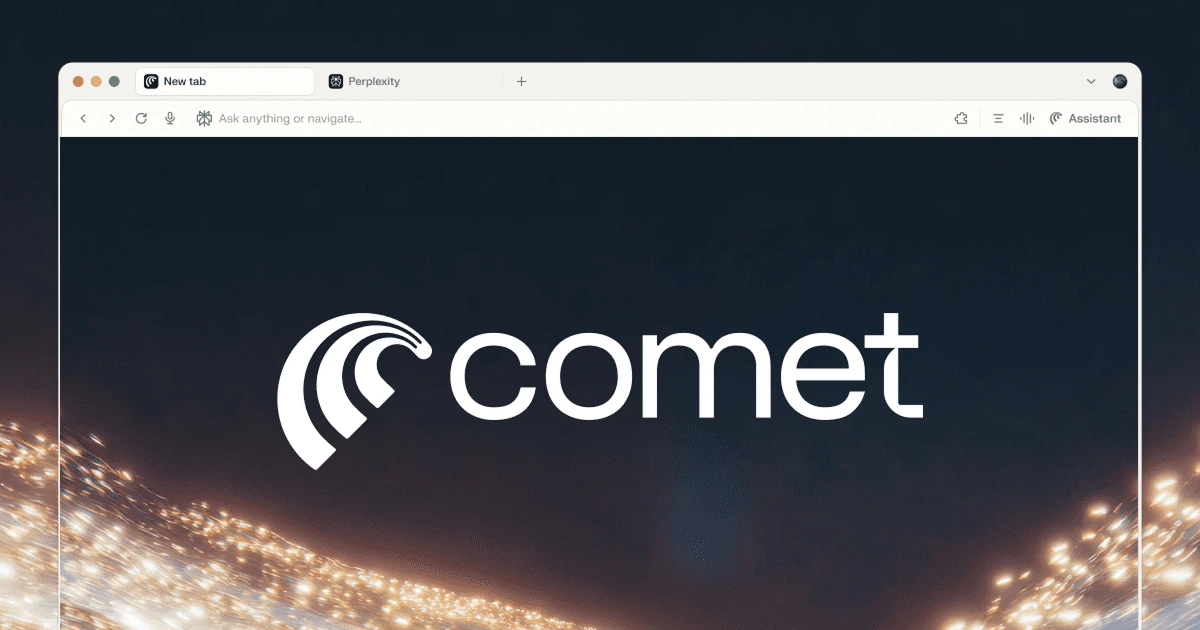
Comet is a web browser built around Perplexity and Perplexity Computer. It works like Chrome, but Perplexity search and an assistant live in every window. The assistant reads your tabs, answers questions and takes actions for you, and in Work mode it hands bigger jobs like research reports and multi-step workflows to Computer without leaving the page you are on.
For me, the next biggest reason to use it is the mobile app. Comet runs on Mac, Windows, iPhone and Android, with Comet Sync keeping your tabs, bookmarks, passwords and history in step, which is fairly rare among AI-first browsers. It is also a very good-looking browser.
What is Comet?
Comet is a Chromium-based browser from Perplexity. It launched in July 2025 for Perplexity Max subscribers, and it became free for everyone in October 2025. Perplexity has said the free version of Perplexity will always include Comet. Android arrived in November 2025 and iPhone in March 2026.
Because Comet is built on Chromium, it feels familiar right away. Most Chrome Web Store extensions work on desktop, and you can import your bookmarks, passwords, history and extensions from your current browser. Perplexity is the default search engine.
The difference is the Comet Assistant. It runs in a side panel next to the page you are on, so you can ask about the current tab, mention other tabs with @, hand it a task to complete while you keep browsing, or switch to Work mode and pass the job to Perplexity Computer.
Who is Comet For?
- Perplexity users. Comet puts Perplexity search and Perplexity Computer at the center of your browser, so research and bigger tasks start from whatever page you are on.
- People who browse on desktop and phone. Start research on your laptop, then pick it up on your phone. Dia and Aside, two of the best-known AI-first browsers, are desktop only.
- Anyone curious about AI browsers. Comet is free, runs on four platforms and imports your Chrome setup, so trying it costs you almost nothing.
- Researchers. Asking questions across several open tabs, summarizing long pages and comparing sources is where Comet saves the most time.
- Busy professionals. With the Gmail and Google Calendar connector, the assistant can draft and send email and create calendar events from the side panel.
- Perplexity Pro and Max subscribers. Paid plans raise the assistant's agent limits and include Perplexity Computer usage, with Max getting the most.
Skip Comet if you need Linux or ChromeOS support, or if you are not comfortable letting an AI act inside logged-in accounts. Perplexity itself says prompt injection is still an unsolved problem across the industry.
Comet Pros and Cons
Pros
- Built around Perplexity search, with Perplexity Computer inside the assistant for bigger multi-step jobs
- Real mobile apps for iPhone and Android, with encrypted sync to your desktop
- A very good-looking design
- Free on Mac, Windows, iPhone and Android
- Built on Chromium, with Chrome extension support and one-step import from your old browser
- The assistant can read across your open tabs and complete multi-step tasks
- Gmail and Google Calendar actions from the side panel
- Built-in ad blocking
- Browsing data stays on your device by default
- Required confirmation before it sends a message, changes your calendar or places an order
Cons
- The most capable assistant models and the highest agent limits require Max at $200 a month
- Perplexity doesn't publish exact agent task limits for Free, Pro or Max
- Computer work beyond your plan's included usage costs credits
- No Linux or ChromeOS version
- AI requests made in incognito windows are still sent to Perplexity's servers
- Like every agentic browser, it is exposed to prompt injection from malicious web pages
The limits are the main thing to understand. Comet is free, but the assistant's agent tasks and Computer usage come with plan-based limits. Pro covers average use, and Max is built for heavy use.
Comet Features: Perplexity Computer, Comet Assistant and Mobile Sync
Perplexity Computer, built in
Perplexity Computer is Perplexity's autonomous AI worker. It researches, creates documents and apps, manages email through connectors like Gmail and Outlook, and can run tasks on a schedule. Since July 2026, it is available directly inside the Comet Assistant for everyone.
The assistant has two modes. Search mode answers questions about your tabs and the web and doesn't use credits. Work mode hands your request to Computer, so you can ask for a competitive teardown of the vendors on the page you are reading, or a table built from a company's last 10 earnings calls, without leaving the browser.
Computer runs on credits, where 100 credits cost $1. Pro includes weekly Computer usage, and Max includes 10,000 credits a month and the most Computer usage. Some free accounts get a limited number of free Computer turns.
Sync between desktop and mobile
Comet Sync keeps your browsing consistent across every device running Comet. It syncs bookmarks, passwords, autofill, themes, history, extensions and open tabs, and you can turn each one on or off.
Setup takes a minute. Sign in with your Perplexity account, open Settings → Sync, and create a sync chain. Comet gives you a four-word passphrase that you enter on your other devices to join. Your data is encrypted with that passphrase, so your Perplexity account handles login but only your passphrase can decrypt what syncs.
Perplexity recommends pairing your mobile and desktop browsers this way. Once your devices are paired, Tabs on other devices shows what you have open everywhere, so you can move from your desk to your phone without losing your place. On iPhone, Perplexity says an assistant thread stays tied to the page across devices, so you can start research on desktop and pick it up on mobile with the context intact.
Chrome and Edge sync to mobile too, but they are traditional browsers with AI added on. Among AI-first browsers, a real mobile app with sync is fairly rare, and for me it is one of Comet's biggest strengths.
Get Comet on desktop and mobile
Comet Assistant
The Comet Assistant sits in a panel alongside your main browser window. It pulls the visible text and metadata from the current tab each time you ask, and you can bring other tabs into the conversation by mentioning them with @.
That makes everyday browsing faster. You can summarize a long article, compare three product pages, pull the key points from a docs site, or ask follow-up questions without copying anything into a separate chatbot. Highlight text on any page and the Inline Assistant can explain or rewrite it, and Voice Mode lets you talk to the assistant in 36 languages.
Agent tasks
The assistant can also take actions for you. Perplexity lists tasks like finding flights that fit your calendar, scheduling meetings, filling out forms on websites, managing email subscriptions and handling multi-step workflows.
It can run tasks while you keep browsing in another tab. On Android, a blue edge around the screen shows when it is navigating for you, and it can find and apply promo codes while you shop. With the Gmail and Google Calendar connector, you can create events or send email directly from the assistant.
Design and browser basics
I think Comet is a very good-looking browser.
The basics are covered too. Comet has built-in ad blocking based on open-source filter lists, with per-site exceptions, plus Split View for two pages side by side.
Privacy and security
Comet keeps your browsing data on your device by default and sends only the context a request needs. Passwords stay in your operating system's password vault, and Perplexity says the assistant never has access to your passwords or payment data. Context the assistant uses from pages, history or tabs is kept for up to 30 days.
On security, Perplexity uses several layers against prompt injection. Classifiers check new page content before the assistant acts on it, page content is treated as untrusted, and the assistant must ask you before sending email or messages, changing your calendar, placing a final order or entering details it doesn't already know. You can also block the assistant on specific sites.
Comet vs Alternatives: Pricing & Feature Comparison
Comet vs Dia
Dia is The Browser Company's work browser. It is built around chatting with your tabs and connected tools, with features like a Morning Brief and reports or decks made from what you have open.
Dia runs only on Mac and Windows, so it can't follow you to your phone. New Mac users get no AI features in its free plan, paid plans start at $10 a month, and Dia's agent mode can't navigate to other websites on its own. Choose Dia if your day is mostly writing, research and summaries across work apps on one computer.
Comet vs Gemini in Chrome
Gemini in Chrome adds Google's assistant to the browser most people already use. Chrome syncs to your phone, and Gemini in Chrome can answer questions about the current tab and up to 10 shared tabs. Its auto browse feature can compare products, add items to a cart and make bookings.
Auto browse requires Google AI Pro at $19.99 a month or Ultra, you must be 18 or older, and it is limited to the US and India. Auto browse also isn't available on iPhone or iPad. Comet is free to switch to, brings your Chrome extensions with it and puts the same assistant on iPhone and Android. Stay with Chrome if you already pay for Google AI Pro and don't want to switch browsers.
Comet vs Aside
Aside is an agent-first browser built for tasks inside logged-in sites like messages, payments and internal tools. It has an agent-safe password manager, local memory and a Guard mode that asks before sensitive actions. You can read my full Aside review.
Aside's free plan includes agent tasks with 500 credits a month, and Pro costs $20 a month, but it is desktop only. Comet is the better everyday browser, with mobile apps, sync and Perplexity search built in. Choose Aside if most of what you want to automate happens behind a login on your computer.
Comet Pricing: Plans & Cost Breakdown
The browser itself costs nothing, and sync is part of the free browser. You only pay when you want more from the assistant and Computer. Extra credits cost $1 per 100.
For most people, the free plan is the right place to start. Pro makes sense if you already use Perplexity for search and want regular Computer usage each week. Max is only worth $200 a month if you run agent tasks and Computer jobs all day. If you already use Perplexity, my Perplexity review covers the search side of these plans.
Verdict
Comet is the browser I recommend if you want Perplexity at the center of how you browse. Perplexity search and Perplexity Computer are built into the assistant, so it grows from quick answers about a page into real research and multi-step work. For me, its iPhone and Android apps with encrypted sync are the next biggest reason to choose it, because that is fairly rare among AI-first browsers. It is also a very good-looking browser.
Choose Comet if you want Perplexity and Computer built into your browser, on desktop and mobile. Choose Dia if you want AI across your work tools on one computer, Gemini in Chrome if you already pay for Google AI Pro and want to stay in Chrome, and Aside if your automation happens inside logged-in apps on your desktop.
FAQ
What is Perplexity Computer in Comet?
Comet is built around Perplexity, and Computer is its AI worker for bigger jobs like research reports, documents, apps and email tasks. In the Comet Assistant, Search mode answers questions without using credits, and Work mode hands your request to Computer and uses credits. Pro includes weekly Computer usage, and Max includes 10,000 credits a month.
Does Comet sync between desktop and mobile?
Yes. Comet runs on Mac, Windows, iPhone and Android, and Comet Sync can sync bookmarks, passwords, autofill, themes, history, extensions and open tabs across your devices. Your synced data is encrypted with a four-word passphrase that only you control, and you can open tabs from your other devices from the menu.
Is Comet browser free?
Yes. Comet has been free for everyone since October 2025 on Mac, Windows, iPhone and Android. Paid Perplexity plans raise the assistant's limits, include Computer usage and unlock stronger models.
What can the Comet Assistant do?
It can answer questions about your open tabs, summarize and compare pages, fill out forms, help with shopping, and send email or create calendar events through the Gmail and Google Calendar connector. It asks for your confirmation before final actions like sending a message or placing an order.
Is Comet safe to use?
Comet keeps browsing data on your device by default, stores passwords in your operating system's vault, and requires your confirmation before sensitive actions. Perplexity also uses classifiers to detect prompt injection. No agentic browser is fully protected from malicious pages, so use care with tasks inside important accounts.
Does Comet work with Chrome extensions?
Yes. Comet is built on Chromium, and most Chrome Web Store extensions work on desktop. Extensions that change the new tab page are the main exception. You can also import bookmarks, passwords, history and extensions from your current browser.
Is Comet better than ChatGPT Atlas?
OpenAI has retired ChatGPT Atlas. Its agent features now live in a cloud browser inside ChatGPT on paid plans. If you want a standalone AI browser today, Comet is the stronger choice because it is free and runs on desktop and mobile.
Does Comet work on Linux?
No. Comet supports Mac, Windows, iPhone and Android. Linux and ChromeOS are not officially supported.


