


Best AI Automation Tools
AI automation earns its place when it removes work you already know how to do. A weekly report, a lead handoff, or a finished video that needs uploading to several platforms is a useful starting point. You can describe the input, recognize a good result, and see whether the tool saves any time.

Hermes Agent
9.3
A free, open-source agent for recurring research, development and operational work, with reusable skills, persistent memory, official Desktop and specialist Bots. Optional Portal credits and Cloud hosting simplify parts of the setup without making usage unlimited.

Lindy
9.1
Lindy brings an AI assistant into the tools where your team works. It can use connected information, prepare reports, help with email, and run recurring tasks on a schedule. Shared meeting context and reusable skills make it useful for work that comes around every week. It is worth trying when the same administrative jobs keep interrupting your team and you can define what a good result should look like.

Composio
8.7
Composio connects AI assistants and custom agents to more than 1,500 apps with managed authentication and on-demand tool discovery. Use its connectors and plugins with an existing assistant, or its SDKs to build integrations into your own product. Hobby is free; Pro costs $29 per month with usage credit.

Gumloop
8.7
Gumloop gives teams a way to connect AI agents to their business apps and shared information. Research, incoming requests, and recurring reports can become workflows you reuse rather than prompts you rebuild every week. Shared agents and access controls make it relevant when several people need the same process. It is worth comparing for work that crosses apps; a dedicated scheduler is a simpler purchase if all you need is to publish finished posts.

Blotato
8.6
Blotato connects social content and publishing to your AI agents. An agent can prepare posts, generate visual assets, schedule them, and work with comments or messages through its API and MCP connection. That makes it interesting for a small team building a repeatable content operation around tools they already use. It reaches beyond a conventional posting calendar, so deciding which actions need approval is part of the setup.

Grok Bot
8.6
Named cloud agents with shared files and app sessions, reusable skills, and scheduled routines. A strong fit for recurring operations work, with paid-plan access, weekly allowances, and optional on-demand charges.

Browser Use
8.5
Browser Use turns website tasks into an agent capability, with fully hosted runs, managed cloud browsers and an open-source library. It is a good fit for recurring portal work, app-integrated web actions and existing assistants that need browser access. Cloud is pay as you go: model usage, service fees and traffic are separate from browser time. Compare Firecrawl, Browserbase, Aside and Tinyfish by the workflow you need.

Treg
8.5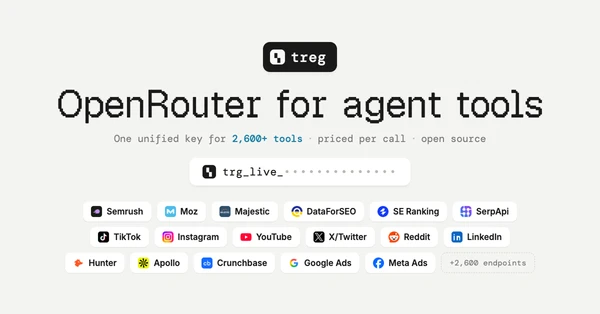
Treg gives existing AI agents a shared catalog of data tools, upfront endpoint pricing and prepaid access to eligible providers. Best suited to occasional SEO, prospecting and marketing research across vendors, with support for own keys and team tools.

Monid
8.4
Monid lets existing AI agents discover, inspect and run outside tools through a shared prepaid wallet. Best suited to occasional research across changing sources, with skill, MCP, CLI and HTTP connections.

Orgo
8.4
Orgo brings persistent cloud computers and live desktop access into one visual dashboard. It is a strong fit for agencies managing AI agents for clients, or individuals running their own always-on Hermes Agent. Ready-made templates simplify deployment, with plans from $29 per month. Model usage is separate; Windows and custom templates require Scale, and Mac remains in closed beta.
Frequently Asked Questions
What is AI workflow automation?
AI workflow automation connects an event in your apps to an AI task and a follow-up action. A new inquiry could trigger a summary of the customer’s needs, then add that summary to your CRM. AI handles the interpretation; the workflow controls when it runs and what happens to the result.
What is the best AI tool for workflow automation?
For work that crosses several business apps, compare builders that connect your data and let you inspect each step. For recurring team tasks, an assistant with access to shared context may fit better. A dedicated publishing workflow can be simpler for content distribution. Choose by the process you need to complete, then use the ratings and summaries below to narrow the shortlist.
Can you give me an example of AI workflow automation?
A sales inquiry arrives through a form. AI summarizes the request, the workflow adds it to the CRM, and a draft reply goes to a salesperson for review. The useful part is moving a real piece of work forward without repeatedly copying the same information between apps.
How do I build an AI automation workflow?
Write down the trigger, the information the tool needs, and the result you want. Connect the apps and configure the steps, then test with real examples. Include a missing or unexpected input. Start with internal work you can inspect before using the workflow to publish content or contact customers.
Can I build AI automations without coding?
Yes. MindStudio has a visual builder and prebuilt integrations, and Gumloop lets teams connect agents to business apps. You still need to understand the task and define what should happen. An unsupported app or unusual data format can make the project more technical, even when the main builder is visual.
Can I try AI workflow automation for free?
Gumloop offers a 14-day free trial, which gives you a way to test a real workflow before subscribing. A trial is different from a permanent free plan. Use it to measure how many credits a complete run needs and whether the result is good enough to use without rebuilding it by hand.