
Stats
We may earn commissions from some links.We may earn commissions from links to support our work. Learn more.
Get more AI tool alerts:
About Viktor
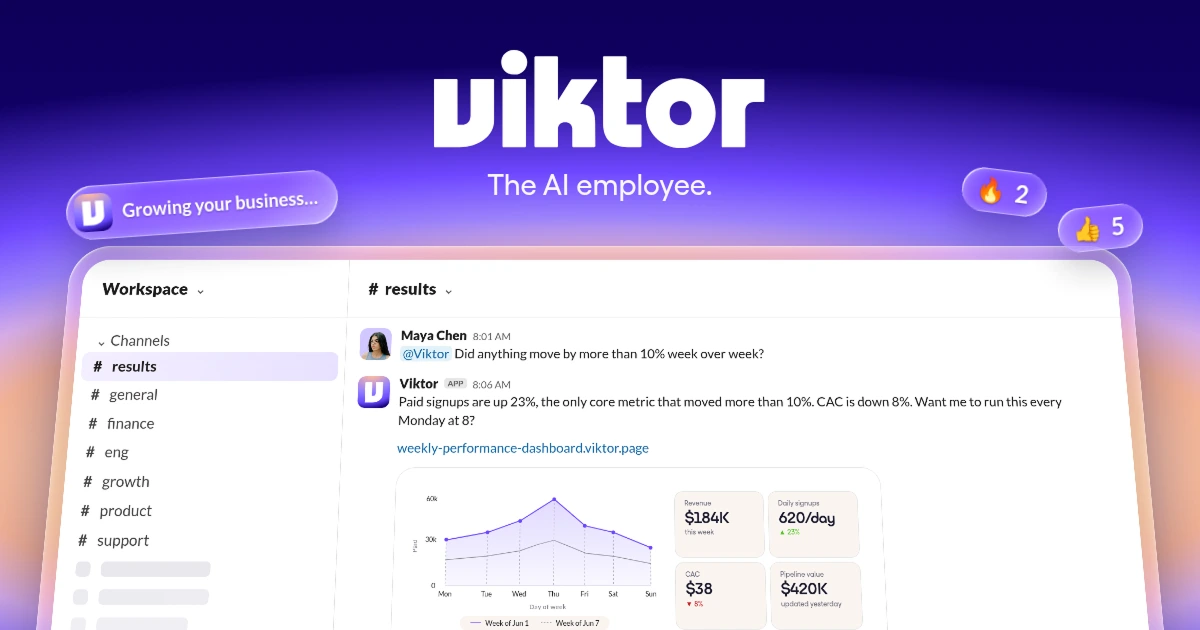
Viktor gives your team an AI employee you can delegate to from Slack or Microsoft Teams. Ask for a weekly revenue report, an ad-account review or an internal dashboard, and it can pull from connected tools, run code and deliver the finished work. Its cloud computer keeps the execution off your laptop.
I recommend it for founders and small teams that want help across the business without building every automation themselves. Compare Lindy for inbox, calendar and meeting work, Zapier for processes with defined steps, or Gumloop for building and sharing your own agents. Viktor's appeal is having one shared generalist you can bring into the team conversation.
Try Viktor with free starting credits.
What is Viktor?
Viktor is a managed AI agent with its own cloud execution environment, business-app connections and persistent workspace context. You describe the result you want in chat rather than assembling the infrastructure behind the agent.
That result can be a document, spreadsheet, presentation, code change or hosted app. For example, you could ask it to compare revenue against the sales pipeline, explain what changed and deliver a report to your finance channel each Monday. The connected accounts supply the data; Viktor works through the task and produces the output.
Slack and Microsoft Teams are its main team interfaces. Discord is also supported, and web chat is available for supported workspaces. The web-chat experience is not identical across every workspace type, so Slack and Teams are the clearest starting points.
You still need to connect the relevant accounts and explain what a useful result looks like. Buying an AI employee does not remove the need for a good brief.
Who is Viktor for?
Viktor makes the most sense for a small team with recurring work spread across several apps. The founder needs a business update, marketing needs campaign numbers, and operations needs someone to reconcile the spreadsheet with the CRM. A shared assistant can work across those jobs without each person starting from an empty chat.
For marketing teams, useful assignments include pulling campaign results, drafting follow-up content and preparing client reports. For operations and finance, think invoice checks, pipeline updates and recurring management reports. Engineering teams can delegate issue research, scoped code changes and pull-request preparation.
A solo business owner can use it too. The benefit is managed execution without maintaining an agent host yourself, rather than a requirement to have employees before the product becomes useful. Our guide to AI agents for small business covers other ways to delegate those jobs.
I would skip it for occasional questions and rewrites. It earns its subscription when you have actual work to hand over, especially work you want repeated. If you are still deciding what kind of assistant you need, browse the Hypertools agent directory before committing to a shared team setup.
Viktor pros and cons
The strongest reason to pay is having execution, team context and recurring work in one managed service. My main reservation is forecasting usage: a short question, a research report and a deployed app are very different amounts of work. The entry price alone will not tell you what a busy month costs.
Viktor features: connected work, reports and internal apps
Work across your business tools
Viktor connects to apps such as HubSpot, Salesforce, Stripe, Notion, Google Drive, GitHub, Linear, Google Ads and Meta Ads. It advertises access to 9,800+ tools through its native and managed connections.
That breadth is useful when the job crosses systems. An ad report can combine campaign spend with sales data instead of treating each platform as a separate conversation. A customer-feedback task can pull together the source material, identify recurring problems and prepare tickets for the product team.
The important question is whether your connection supports the actions you need, not how large the catalog looks. Viktor also supports custom API and MCP connections, plus cloud-browser work for sites without a suitable integration. That expands its options without guaranteeing every website can be automated.
Reports and finished files
Viktor can create and edit Word documents, Excel spreadsheets, PowerPoint presentations and PDFs. You can ask for a finished report rather than a block of text to format yourself.
It also publishes hosted Pages for reports and write-ups. These are snapshots of the data at publication, not automatically live dashboards. A recurring job can republish a Page at the same link when you want fresh numbers.
This is a useful distinction for client reporting. A weekly performance report needs a readable, shareable output; a dashboard that changes as people enter data needs an app.
Internal apps with Viktor Spaces
Spaces are web apps Viktor builds and hosts, with a database, sign-in and server logic. A request tracker, approval tool or internal dashboard is a more natural fit here than in a static report.
You can describe a change in chat and ask Viktor to update the existing app. Hosting and database resources use workspace credits too, so the cost does not necessarily stop when the initial build is finished.
I like the fit for small operational tools that otherwise sit in an engineering backlog. For a business-critical system, the generated code, access rules and behavior still need proper review.
Recurring work and reusable skills
Ask Viktor to run a task every weekday, each Monday or at another supported interval. Scheduled jobs can deliver a report, reconcile records or check for work that needs attention. Event triggers provide another route when a change in a connected tool should start the job.
You can teach a process through instructions or a narrated screen recording. Viktor turns the demonstrated workflow into a reusable skill, and recorded automations start paused for approval.
AI schedules use credits each time they run. Direct Python script tasks are documented as zero-credit execution, which makes them useful for repeatable checks that do not need fresh model reasoning. AI schedules can run at most once every five minutes.
Shared context and action controls
Company knowledge and team skills help Viktor work across departments without every teammate repeating the same background. Personal preferences, files and private connections have their own documented boundaries; shared company context is not the same thing as every connected account being public to everyone.
For connected tools, actions can be switched off, allowed to run automatically or set to ask for confirmation. That lets a team distinguish routine lookups from actions that change customer records or send messages.
The practical benefit is choosing how much work to delegate. It is not a guarantee that the agent's judgment or output will always be correct.
Viktor pricing
Viktor uses shared workspace credits rather than per-seat pricing. New workspaces receive up to $100 in one-time starting credits, with no credit card required. The amount depends on the signup route; this is not a monthly free allowance.
Paid Team plans are advertised from $50 per month for 20,000 credits. Available allocations are workspace-specific, and some workspaces' plan picker starts at $100 per month.
Larger monthly allocations are available. New annual plans are no longer offered. Paid plan credits roll over for one billing period only; purchased top-ups and reward credits do not expire.
Viktor illustrates a quick task at 100–300 credits, a complex workflow at 500–1,500 and a full project at 2,000–5,000. These are examples, not fixed prices or guaranteed task counts. AI runs, longer jobs and Spaces resource usage all affect consumption.
I would start with a few representative jobs before choosing a large allocation. Workspace billing is attractive when several teammates need help, but the sensible plan depends on what they ask Viktor to do.
Hypertools deal: New users get $50 off their first purchase through our link. No discount code is required. This is a first-purchase offer, separate from Viktor's introductory free-credit allowance.
Get $50 off your first Viktor purchase.
Viktor vs alternatives
These products overlap. All can perform actions and run recurring work; the difference is how you delegate, control the process and pay for usage.
Viktor vs Lindy
Lindy is the closest alternative here. It handles connected-app actions, scheduled and event-driven routines, shared context and hosted artifacts. It is a real assistant option, not a chatbot that only drafts replies.
I recommend comparing it closely when inbox administration, scheduling and meeting follow-up are the main jobs. Viktor is a strong fit when you want a generalist working across reporting, operations, code and internal apps, although Lindy overlaps with several of those capabilities too.
The clearer difference is billing. Lindy's entry allocation costs $29.99 per active user per month, with 3,000 credits contributed to a shared pool. Viktor charges for workspace credits without a seat fee. Neither product's credits translate into an equivalent number of completed jobs, so a lower starting price does not establish the cheaper service.
Lindy offers $50 in introductory credits that expire after seven days. Its monthly credits do not roll over; purchased top-ups remain available until used.
Viktor vs Zapier
Zapier is the better starting point when you can describe the process as a trigger, conditions and a set of actions. A new form submission creates a CRM record, routes it according to the answers and notifies the right person. You can inspect and adjust that workflow instead of giving a generalist an open-ended assignment.
Zapier also supports AI steps, scheduled triggers and JavaScript or Python code. It has a separate Agents product, so the comparison is not intelligent execution versus a system that can only move data.
Professional starts at $29.99 with monthly billing, or $19.99 per month billed annually, for 750 tasks per month. The continuing Free plan includes 100 tasks per month. Standard successful app actions generally use a task, but AI, code and other operations have their own rules; one workflow run can consume several tasks.
Choose Viktor for conversational delegation across changing jobs. Choose Zapier when defining and maintaining the workflow is how you want to keep control.
Viktor vs Gumloop
Gumloop is the alternative I recommend when you want to configure and share agents with different jobs. You choose each agent's model, instructions, connected tools and skills, then give it schedules or app-event triggers. A sales-research agent and a reporting agent can have different setups instead of sharing one generalist brief.
It also supports Slack and Microsoft Teams, runs code and produces finished files. The distinction is not that Viktor works in team chat while Gumloop only offers a workflow canvas. Both can take on open-ended work; Gumloop gives you an agent-building platform, while Viktor puts a ready-made employee at the center.
Pro starts at $37 per month with 20,000 monthly credits and unlimited seats. Model, tool and compute usage consume credits, with an 8% orchestration fee on the standard agent route. Its 14-day Pro trial requires a card and becomes a paid subscription unless cancelled.
Choose Gumloop when shaping agents around different roles is part of the appeal. Choose Viktor when you would rather start with one shared employee and delegate from there. Their credit allowances are not equivalent measures of completed work.
Verdict
Viktor is a strong choice for teams that want one managed AI employee working alongside them in Slack or Teams. I recommend it when the work spans several apps and you want to hand over a result, rather than build and operate the agent system yourself.
Choose Lindy if you mainly want help managing email, scheduling meetings and following up afterward. Choose Zapier when the trigger-and-action workflow is already clear and you want to manage those steps directly. Choose Gumloop when you want to build and share agents with different models, tools and roles.
Start with a recurring report or operational task whose quality you can judge. If Viktor can produce a useful result at a sensible credit cost, expand from there. The combination of shared context, finished deliverables and no seat fees is compelling; paying for jobs nobody needs is not.
Put Viktor to work for your team.
FAQ
Is Viktor free?
New workspaces receive up to $100 in one-time starting credits without a credit card. Ongoing use requires a paid plan after those credits are exhausted. It is not a replenishing free monthly allowance.
How much does Viktor cost per month?
Team plans are advertised from $50 per workspace per month for 20,000 shared credits. Some workspaces' available plans start at $100. There is no per-seat charge, and larger monthly allocations are available.
Does Viktor work in Microsoft Teams?
Yes. Slack and Microsoft Teams are the main team interfaces, with Discord also supported. Web-chat availability depends on the workspace setup.
Can Viktor keep working on a schedule?
Yes. It supports recurring AI tasks, direct Python script tasks and event-triggered work. AI runs spend credits, while direct script tasks are documented as zero credits. Scheduled tasks can run at most once every five minutes.
How does Viktor compare with Gumloop?
Viktor centers on one managed AI employee for your team. Gumloop lets you configure and share agents with different models, instructions, tools and skills. Both support recurring work and team-chat access; choose based on whether you want a ready-made generalist or an agent-building platform.
Do I need a discount code for the $50 offer?
No. New users get $50 off their first purchase through our Viktor link. No discount code is required.


