


Best AI Project Management Tools
Discover and compare the best project management tools powered by AI.

Todoist
9.1
Todoist is a dependable place to capture work before you forget it. Natural-language dates make adding tasks quick, while projects, priorities, and recurring tasks give the list some structure. It works well for personal planning and straightforward team coordination. The useful habit is a short daily review: capture freely, then decide what actually belongs on today’s list instead of turning every new thought into another urgent deadline.

Routine
8.6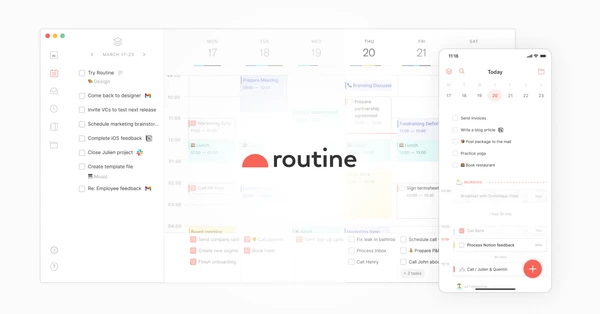
Routine keeps tasks, calendar events, and notes together, with quick capture for the things that occur to you during the day. A meeting can sit beside its context and the follow-up it creates. It is an appealing choice if managing several separate productivity apps has become a task in itself, and you want a daily planning system you can understand at a glance.

Godspeed
8.3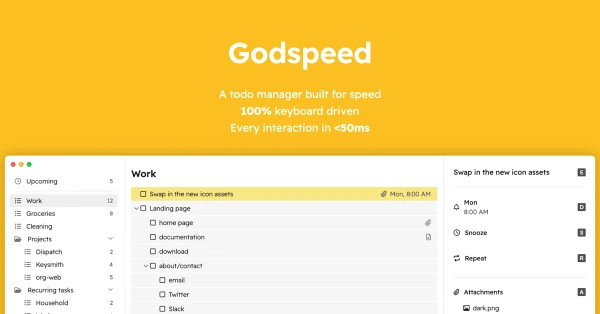
Godspeed is a task manager built around keyboard control and quick interaction. Capture a task, give it a date in natural language, and return to what you were doing. It is appealing if you already know how you want to manage a list and find elaborate productivity interfaces distracting. The focus stays on the repeated actions you perform all day rather than on configuring a large workspace.

Blitzit
8.2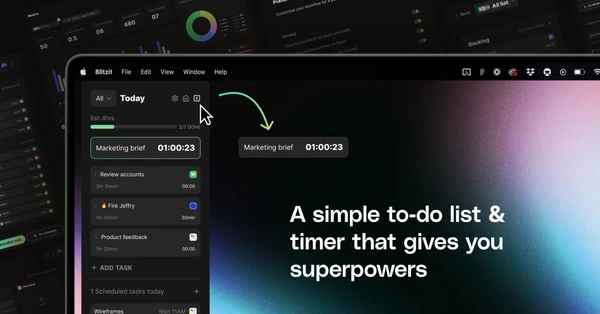
Blitzit combines a task list with a focus timer you can keep visible while you work. Estimate a task, start a focused session, and see how the actual time compares. It is useful if making a plan is easy but staying with one task is harder. The time tracking can also expose a practical problem: a day that looks reasonable on a checklist may contain far more work than the hours available.

Coda
8.2
Coda lets notes, tables, buttons, and automations live in the same document. A project plan can explain the work and track it, while a lightweight CRM can keep contacts beside the decisions about them. It is a good fit for teams whose process never quite matches an off-the-shelf template. The flexibility is the benefit and the responsibility: someone needs to keep the document understandable as it grows.

Motion
8.1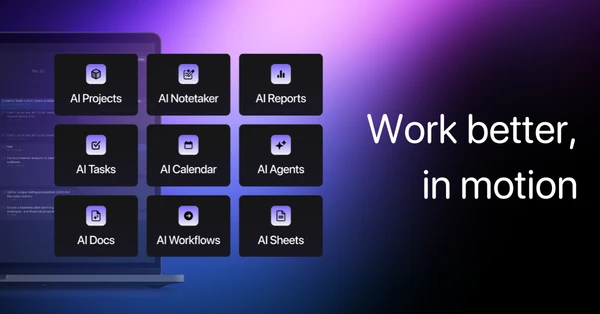
Motion schedules tasks around the meetings and deadlines already on your calendar. Give work an estimated duration and a due date, and the planner can rearrange it as the day changes. It suits people whose plans regularly get interrupted and who spend too much time rescheduling by hand. The quality of the plan depends on your inputs: unrealistic estimates will still produce a day that is difficult to finish.

ClickUp
7.9
ClickUp brings tasks, documents, communication, and project views into a shared workspace. You can shape the same work into lists, boards, or timelines depending on who needs to see it. That flexibility suits teams with several connected processes, but it also gives you more decisions to make during setup. Start with one workflow and a small set of views so the workspace stays understandable as more people begin using it.