

Best AI Chat Tools
Discover and compare the best chat tools powered by AI.

Raycast
8.9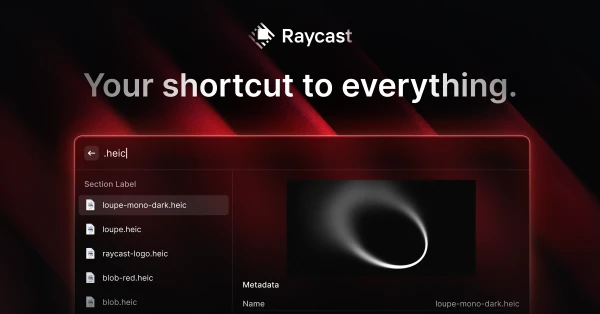
Raycast puts common desktop actions behind a keyboard shortcut: opening apps, finding a copied snippet, running commands, or asking AI for help. Extensions let you bring more of your existing workflow into the launcher. It is a good fit if small interruptions keep breaking your concentration throughout the day. The payoff comes from learning a few commands you use repeatedly, rather than installing every extension at once.

Perplexity
8.7
Perplexity is useful at the start of a research task, when you need an answer and the sources behind it. Ask a question, follow the citations, and narrow the search with follow-ups. That makes it convenient for comparing products or getting oriented on an unfamiliar subject. The citations are the part to use carefully: open the original page before relying on a number or repeating a claim.

Instinct
8.4
A text-and-call personal assistant for connected inbox, scheduling and everyday errands. Best considered for supervised personal admin; access can involve a waitlist, and subscription prices and usage allowances are unpublished.

Okara
8.4
Okara organizes recurring marketing work around your product, including content, SEO, and opportunities for outreach. It uses agents to research and prepare work that a founder might otherwise postpone while building the product. The appeal is having a repeatable process instead of starting from an empty marketing calendar each week. It suits a business with a clear audience and offer, where someone can judge which suggestions deserve to be published.

Poke
8.3
Poke puts an AI assistant into the messaging apps you already check. Connect the tools you use, ask for help in a conversation, and set up recurring work or reminders. It suits people who would rather send a message than open another productivity dashboard. The appeal is easy access throughout the day, especially for small administrative jobs that are useful to hand off as soon as they occur to you.

Rabbitholes
8.3
RabbitHoles, now called Slashspace, organizes AI work on a canvas where conversations can branch and share context. It is useful for research that keeps opening new questions: you can follow a thread without losing the wider picture. The spatial layout gives independent researchers and writers room to compare ideas alongside their source material. If long chat histories are becoming hard to navigate, this is a different way to organize the work.

Dot
8.2
A persistent personal agent for existing ChatGPT users who want ongoing work across apps and Codex. The first Dot is included on eligible plans, but region restrictions and unquantified deeper-work limits matter.

Recall
8.2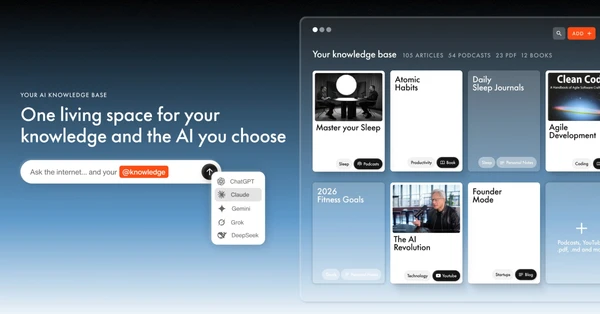
Recall helps when saving things has become easier than finding them again. It summarizes articles, videos, podcasts, and other material, then connects related items in a searchable knowledge base. You can ask questions across what you have collected instead of trying to remember which tab had the answer. It is particularly useful for people who research regularly and want those saved sources to feed into later writing or decisions.

OpenClaw
7.9
A free, open-source personal agent built around a persistent Gateway, messaging channels and companion devices. Its memory, learning and automation suit technical operators willing to manage a runtime and separate model, tool and hosting costs.

YouMind
7.9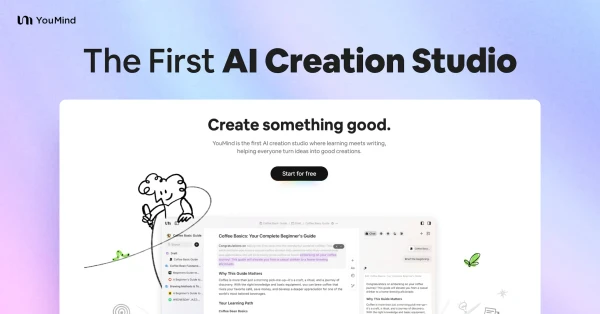
YouMind keeps research close to the work it becomes. Save articles, videos, or documents, explore the material with AI, and develop writing or other output from the same workspace. It fits someone whose creative process starts with reading and collecting sources. Being able to move between the material and the draft is the useful part, especially when a good observation would otherwise disappear into a separate bookmarking app.