


Best AI Voice Transcription Tools
Discover and compare the best voice transcription tools powered by AI.
Get weekly AI tool alerts:

ElevenLabs
9.1
ElevenLabs creates spoken audio from text and provides tools for voice cloning, dubbing, and conversational agents. Creators can use it for narration, while teams can build repeatable audio workflows around existing scripts. Voice quality is only part of the choice: listen for pronunciation, pacing, and how the voice handles your subject. It makes sense when you need to produce or revise spoken content regularly and can direct the performance carefully.

Todoist
9.1
Todoist is a dependable place to capture work before you forget it. Natural-language dates make adding tasks quick, while projects, priorities, and recurring tasks give the list some structure. It works well for personal planning and straightforward team coordination. The useful habit is a short daily review: capture freely, then decide what actually belongs on today’s list instead of turning every new thought into another urgent deadline.
-2-64x64.webp)
Wispr Flow
9.1-2-600x314.webp)
Wispr Flow turns spoken thoughts into text in the app where you are already working. It cleans up the phrasing and punctuation, which is useful when you can explain an email or first draft faster than you can type it. Writers, founders, and people sending detailed messages have an obvious use for it. Give it a real paragraph with your usual names and terminology to judge how much editing remains.

Descript
8.7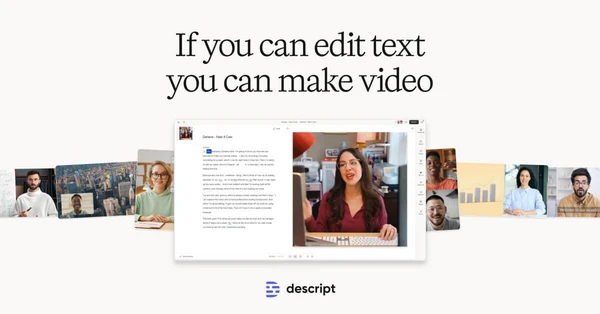
Descript treats the transcript as an editing surface: remove a sentence from the text and the corresponding audio or video comes out too. That is a comfortable way to shape interviews, podcasts, and talking-head videos, where the edit follows what was said. Recording and audio cleanup tools sit alongside it. The main reason to choose Descript is that finding and cutting words can be easier than hunting through a waveform.

Aqua Voice
8.5
Aqua Voice puts dictation into the text field you are already using. Speak a message, document, or technical explanation, and it inserts formatted text with punctuation and vocabulary support. It is especially relevant when your work contains names or terms that basic dictation keeps getting wrong. Try it in your actual writing apps and judge the corrections it needs; that is a better test than a carefully rehearsed sentence.

Willow
8.5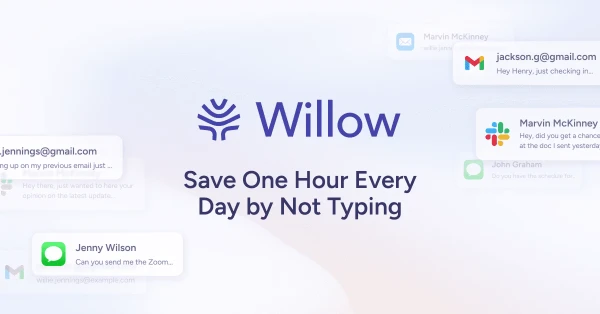
Willow turns speech into edited text wherever you are writing, including documents, messages, and code-related work. It can learn vocabulary and adjust phrasing to the context, which helps when basic dictation leaves too much cleanup. It suits people who write throughout the day and would rather speak a first draft. Try it with the language you actually use at work, including product names and the occasional unfinished sentence.

Voicenotes
8.2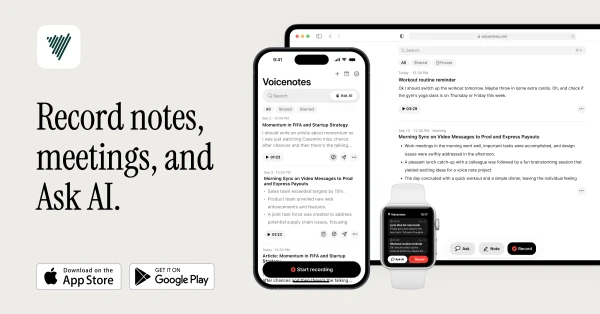
Voicenotes gives spoken ideas and meeting conversations somewhere useful to go. Record audio, get a transcript, and ask questions across your notes when you need to recover a detail. It fits people who think aloud or move between meetings and personal research throughout the day. The reason to choose it over a basic recording app is what happens afterward: you can search and work with the contents of the recording.

Superlist
7.9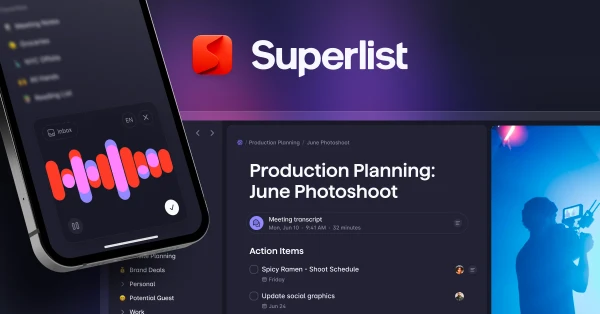
Superlist keeps notes and supporting details attached to tasks, with subtasks and shared lists for work that needs more structure. It is useful for a mix of personal planning and small team projects, especially when a bare checklist leaves too much context elsewhere. A task can contain the information needed to finish it, and a shared list lets the people involved see the same work.

Castmagic
7.8
Castmagic turns a recording into written material you can use elsewhere: transcripts, show notes, quotes, summaries, and drafts for other channels. It is useful for a podcast or interview series with more good material than the team has time to repurpose. The recording supplies the substance, which gives the drafts a better starting point than a generic topic prompt. Editing the result is still part of the publishing process.