


Best AI Social Media Tools
Social media tools are easier to choose once you separate creating the post from getting it published. A writing tool helps develop the message. A clipping tool finds a moment in a recording. A scheduler handles the calendar. If one stage is slowing you down, start there instead of buying a platform for every possible channel.

OpusClip
8.9
OpusClip finds potential short clips inside podcasts, interviews, and other long recordings, then reframes them and adds captions. For a creator sitting on hours of footage, that first selection pass is the useful part. You still choose which excerpts stand on their own, but you can spend the edit improving a shortlist instead of searching the entire recording for somewhere to cut.

Typefully
8.8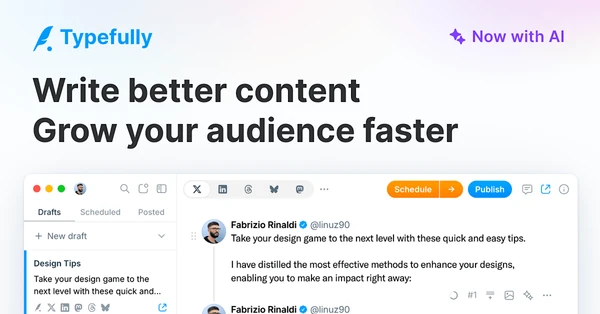
Typefully is an easy recommendation for creators who spend most of their time writing posts and threads. The composer keeps a long idea readable as you break it into individual posts, and scheduling sits beside the draft rather than in another app. AI helps with revisions; analytics show what happened after publishing. It is especially appealing for a regular X or LinkedIn writing habit, where a comfortable editor matters more than a huge collection of content generators.

Arcads
8.6
Arcads turns ad scripts into talking-head videos using AI actors. Performance marketers can compare hooks, messages, and presenters without arranging a separate shoot for each variation. It is useful when creative testing is already part of your ad process and producing enough versions is the obstacle. The result is an AI performance, so it should not be presented as a real customer giving a personal testimonial.

Blotato
8.6
Blotato connects social content and publishing to your AI agents. An agent can prepare posts, generate visual assets, schedule them, and work with comments or messages through its API and MCP connection. That makes it interesting for a small team building a repeatable content operation around tools they already use. It reaches beyond a conventional posting calendar, so deciding which actions need approval is part of the setup.

Gamma
8.5
Gamma turns an outline or prompt into a presentation, document, or webpage with a designed layout. It is useful when you know what you need to communicate but do not want to arrange every slide from scratch. You can work on the structure and revise the generated result rather than start with a blank canvas. For a pitch or important presentation, spend the saved time checking the story and tightening the claims.

ReelFarm
8.4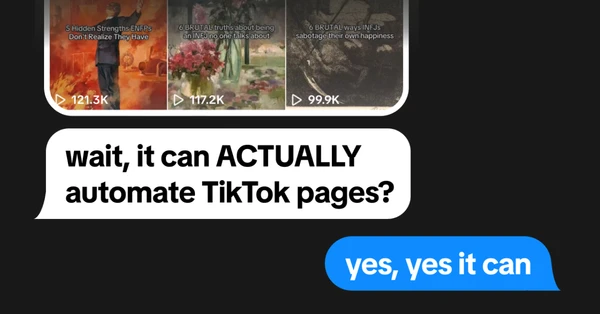
ReelFarm is built around repeatable short-form content, including slideshows and AI talking-head videos. Templates, scheduling, and publishing automation help a creator test a format across multiple posts without rebuilding each video. It is a better fit for a regular series than a carefully art-directed one-off production. The format does much of the work, which makes the topic and hook particularly important.

Zernio
8.4
Zernio gives developers and AI agents a common API for social publishing, scheduling, messaging, and engagement. You can make those actions part of your own app or automation instead of building each platform connection separately. This is the option to investigate when you want control over the workflow itself, such as publishing approved assets from an internal system or letting an agent prepare scheduled posts.

SuperX
8.3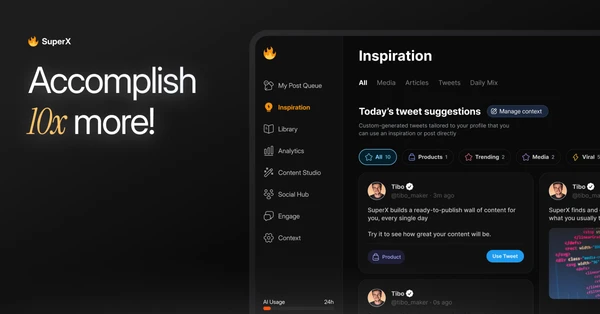
SuperX concentrates on X, with post research, writing assistance, scheduling, and audience analytics in one place. You can find examples around a topic, develop your own draft, and follow its performance after publishing. The narrow focus is useful for a creator who takes X seriously and wants more context about what is working there. A broad social scheduler makes more sense if the main job is coordinating several unrelated networks.

Eden
8.1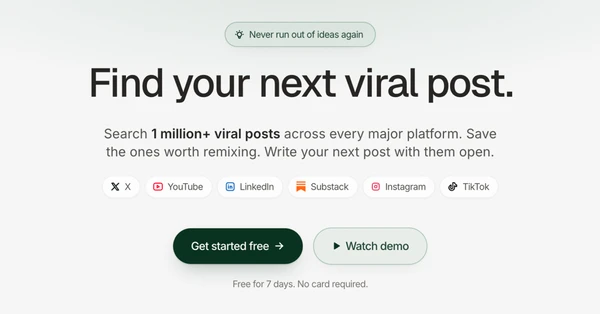
Eden starts with content research: find posts and creators around a topic, study what drew attention, and save material worth returning to. Writing tools and publishing connections help turn that research into your own output. It is useful for creators who have plenty to say but want better context before choosing an angle. The examples give you something concrete to study; your experience is what should make the finished piece distinct.

Repurpose.io
7.7
Repurpose.io handles the uploading that comes after content is finished. Connect your accounts and set rules for where a video or image should go, then let the workflow distribute it. For creators posting across several networks, the appeal is avoiding the same download-and-upload routine every day. It fits an established publishing habit particularly well, because you already know which material belongs on which accounts.
Frequently Asked Questions
What are the best AI tools for social media management?
Typefully is worth comparing for written posts and scheduling, SuperX for an X-focused workflow, and Blotato for publishing through AI agents. OpusClip helps prepare short videos, while Repurpose.io distributes finished content. Choose according to the format and platforms you use regularly rather than the longest feature list.
Can AI manage my social media?
AI can handle parts of the process, including research, drafts, scheduling, and some replies through connected tools. It still needs direction about the audience, the message, and what it is allowed to publish. Start with drafts and scheduled posts you approve before handing over conversations with customers or an entire account.
Is AI replacing social media managers?
It can reduce repetitive production and scheduling work, but a social media manager also decides what the brand should say, responds to context, and handles relationships. Those decisions are harder to hand off. For a small team, the practical benefit is giving one person more time for ideas and conversations instead of repeated uploading and formatting.
Are there free AI tools for social media content?
OpusClip offers a free plan for testing short-video creation, with watermarks and export limits. Free tools can help you try a format before paying, but a preview is different from a finished post. Check whether the plan includes the edits, downloads, and account connections you need to publish regularly.
Can AI write social media captions in my voice?
It can get closer when you provide examples of your writing and the facts behind the post. Typefully, Eden, and SuperX include writing assistance that can support this work. Edit anything you would not naturally say, and keep the specific observation or experience that makes the post worth reading. A tone setting alone will not supply that.