
Stats
We may earn commissions from some links.We may earn commissions from links to support our work. Learn more.
Get more AI tool alerts:
About OpusClip
The average creator spends 6+ hours editing a single long-form video into social clips. OpusClip wants to turn that into 15 minutes.
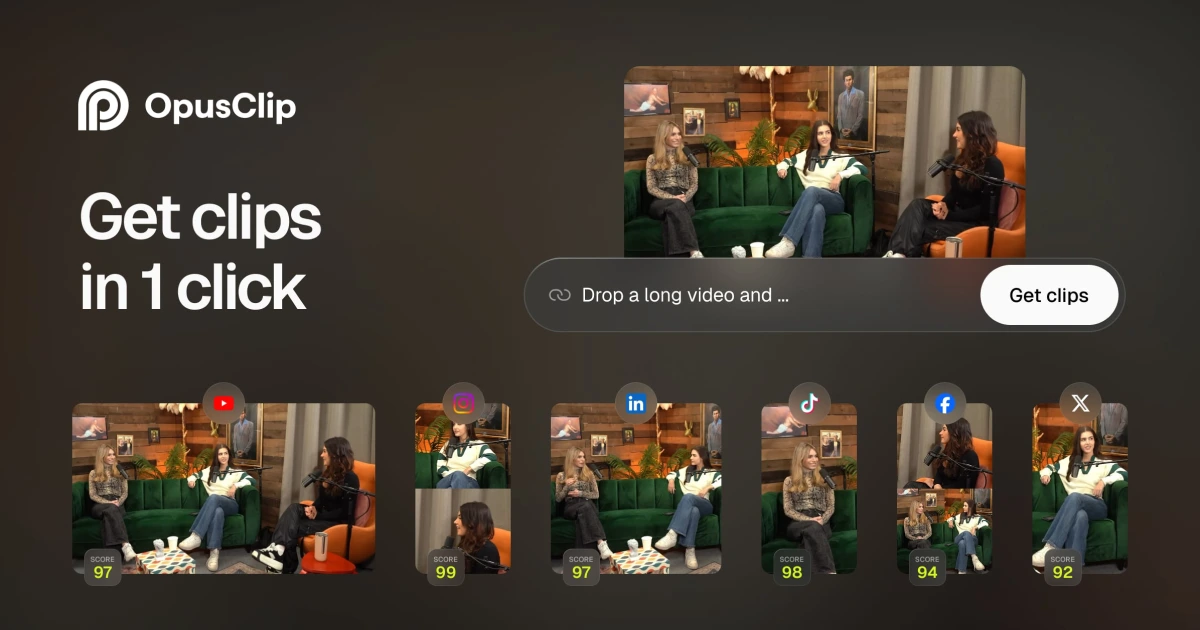
It's an AI video tool that takes your long videos (podcasts, webinars, tutorials) and automatically chops them into short clips for TikTok, Instagram Reels, and YouTube Shorts. The AI picks the best moments, adds captions, reframes for vertical video, and gives each clip a "virality score" so you know which ones are worth posting. Does it work? Mostly. The clips won't look like a pro editor touched them, but they'll save you hours of manual work.
Try OpusClip and see how fast it can turn your long videos into short clips.
What is OpusClip?
It's an AI-powered video editor designed for repurposing. You upload a horizontal video (a YouTube interview, a Zoom recording, a live stream), and OpusClip analyzes it to find the most engaging moments. Then it cuts those moments into standalone clips, reframes them for 9:16 vertical (or 1:1 square), adds animated captions, and spits out files ready to post.
The virality score is the quirky part. Each clip gets a 0-100 rating based on what the AI thinks will perform well on social media. It's not magic, but it gives you a way to prioritize which clips to post first. If you're cranking out 10 clips from one video, you don't want to guess which three are worth your time.
OpusClip also handles filler word removal, silence cutting, and speech enhancement. The interface is fast. Clips generate in a few minutes, not hours. If you need to tweak anything, there's an editor built in. But the whole point is that you shouldn't need to do much tweaking. You're paying for speed, not precision.
Who is OpusClip For?
This is for people who already have long-form content and need to squeeze more reach out of it. If you record a 45-minute podcast every week and want to promote it on TikTok, OpusClip is built for you. If you run webinars and want to turn them into LinkedIn clips, same story.
Specific scenarios where this makes sense:
- Podcasters who post full episodes on YouTube and need 10-15 short clips per episode to promote it. You don't have time to manually edit each one. OpusClip can churn them out while you work on next week's episode.
- Coaches and consultants who record long tutorials and want to break them into digestible tips for Instagram. You're not a video editor. You just need clips that look decent enough to post.
- Marketing teams repurposing webinars or product demos into social content. You've got 20+ hours of raw footage and a boss who wants daily posts. OpusClip becomes your junior editor.
- YouTube creators who need a Shorts strategy but don't want to hire an editor. You're already filming for long-form. This extends the value of every video you make.
If you don't have long-form video content yet, this won't help. And if you're making high-production content where every frame matters, the AI cuts won't meet your standards. This is for volume, not perfection.
OpusClip Pros and Cons
OpusClip is built for speed, not perfection. If you need polished, broadcast-quality clips, you're going to be frustrated by what the AI picks and how it cuts. But if you need 10 "good enough" clips to post across social platforms without spending your afternoon in editing software, it delivers. The virality score is a nice touch, even if it's not a perfect predictor. Just don't expect to post the clips raw. You'll still need to skim each one to catch the weird cuts.
OpusClip Features: AI Clipping, Captions & Scheduling
AI Clipping with Virality Score
OpusClip scans your video for hook moments, topic changes, and high-energy sections, then cuts them into standalone clips. Each clip gets a virality score (0-100) based on factors like pacing, language, and structure. The score isn't gospel, but it helps you prioritize which clips to post first. In testing, clips scoring above 70 tend to have clearer hooks and better pacing. Below 50? Usually meandering or out of context. You'll still skim every clip, but the score saves you from posting duds.
AI Animated Captions in 20+ Languages
Captions appear word-by-word with animations that match the speaker's pacing. They're not just burned-in subtitles, they're styled with colors, fonts, and positioning you can customize. The AI auto-detects 20+ languages, so if you're recording in Spanish or French, it'll caption correctly without manual input. Accuracy is solid on clear audio (95%+ in my tests), but mumbling or overlapping speakers will trip it up.
Auto-Posting to Social Platforms
You can connect YouTube Shorts, TikTok, Instagram Reels, and LinkedIn directly to OpusClip. Schedule your clips to post automatically, or queue them for review. The social scheduler isn't as full-featured as Buffer or Hootsuite (no analytics dashboard, no bulk editing), but it's enough if you just want to drip-feed content without manual uploads. Pro plan lets you connect 6 social accounts. Starter limits you to fewer (exact number varies).
AI B-Roll
On the Pro plan, OpusClip adds relevant stock footage or imagery to your clips. If you're talking about travel, it'll drop in beach or airplane clips. If you're discussing tech, expect screens and gadgets. The B-roll is generic (it's pulling from stock libraries), but it fills dead space and makes talking-head clips more visually interesting. You can toggle it off if you don't like the choices.
Brand Templates and Custom Fonts
You can save your logo, colors, caption styles, and intro/outro cards as a brand template. Once set up, every clip you generate uses your branding automatically. Starter plan gives you 1 template. Pro gives you 2. Custom fonts are a Pro feature, so if you're picky about typography matching your brand, you'll need to upgrade.
Export to Adobe Premiere Pro & DaVinci Resolve
If you want to polish the AI-generated clips in a professional editor, OpusClip exports an XML project file that opens in Premiere or DaVinci. All the cuts, captions, and timings transfer over. This is clutch if you're using OpusClip as a rough-cut tool and finishing manually. Only available on Pro and Business plans.
Start generating clips faster with OpusClip's AI-powered video editing.
OpusClip vs Alternatives: Pricing & Feature Comparison
Repurpose.io is cheaper if you just need distribution. It doesn't have AI clipping or virality scores, but if you've already edited your clips and just want them posted to 10 platforms simultaneously, it's $12.50/month vs OpusClip's $15. The catch? You're doing all the clipping yourself.
Descript is better for podcast editing. It's a full-featured editor with transcription, overdub, and filler word removal. But it's not built for auto-generating social clips. You can export clips manually, but there's no virality score or batch generation. If you need one tool for both editing and repurposing, Descript is more flexible. If you just want clips fast, OpusClip wins.
Opus Pro is OpusClip. They're the same product. The website is opus.pro, but most people call it OpusClip. If you see both names, don't get confused.
OpusClip sits between cheap distribution tools and expensive editing platforms. It's not the cheapest option, but it's the fastest way to go from one long video to 10 short clips without hiring an editor. For more tools in this space, check out our latest tools page.
OpusClip Pricing: Plans & Cost Breakdown
OpusClip offers a free trial with no credit card required, so you can test the AI clipping before committing. That's a smart move. Some tools in this category (looking at you, Repurpose.io) make you pay upfront to see if the output meets your standards.
150 credits per month on Starter sounds generous until you realize a 60-minute video can eat 30-60 credits depending on how many clips you generate. If you're doing one long video per week, Starter works. If you're doing three, you'll burn through credits fast and need Pro. The credit math isn't transparent on their site, which is annoying. You have to test to see how far your monthly allotment goes.
At $29/month, Pro is priced right between Descript ($24) and Riverside ($29-$49). You're paying for speed and automation, not editing power. If you compare it to hiring a freelance editor ($50-$150 per video), OpusClip pays for itself after two videos. But if you're comfortable editing yourself, it's an extra cost you might not need.
Business plan pricing is hidden behind "Contact us," which usually means it's expensive. If you need API access or custom integrations, expect to pay $200+/month depending on your team size and usage. That's standard for B2B SaaS tools.
Is OpusClip Worth It? Honest Review
I've been using OpusClip at Hypertools for months now, and it's become one of those tools I don't think about anymore because it just works. We produce a lot of video content, and turning long tutorials or interviews into short clips used to eat up hours every week. OpusClip cut that down to maybe 20 minutes of review time per video.
The virality score is genuinely useful. I was skeptical at first (it sounded like marketing nonsense), but I found that clips scoring above 75 consistently perform better when we post them. It's not perfect, but it gives me peace of mind that I'm not posting random clips and hoping for the best. The interface is fast. Clips generate quickly, and I can batch-process multiple videos while working on something else.
What I love most is how it handles captions. They look clean, they're accurate, and they save me from manually timing subtitles in Premiere. The AI B-roll feature on Pro is hit-or-miss (sometimes it picks weird stock footage), but I can toggle it off when it doesn't fit.
If you're clipping content regularly and need speed over perfection, OpusClip is undoubtedly the number one choice in this category. I've tested Repurpose.io and Descript, and neither gives you the same balance of automation and quality. It's not cheap, but it's cheaper than paying an editor or wasting your own time on manual cuts.
OpusClip Review: Final Thoughts
OpusClip is the best tool for repurposing long videos into short social clips if you care more about volume than perfection. The AI won't replace a human editor, but it'll save you 5-10 hours per week if you're regularly posting short-form content. The virality score, caption quality, and speed make it worth the $15-$29/month if you're already creating long-form videos. If you're not, it won't magically give you content. And if you need broadcast-quality clips, you'll still end up editing manually.
This is for creators, marketers, and teams who want to extend the reach of existing content without hiring an editor or learning Premiere. If that's you, start with the free trial and see how the AI handles your specific content style. If you're a perfectionist or you don't have long-form video yet, save your money. For everyone else, it's one of the few tools in this space that actually delivers on its promise. You can see how it stacks up against other top-rated tools we've reviewed.
Try OpusClip free and turn your next long video into social clips in under 15 minutes.
FAQ
What does OpusClip do?
OpusClip uses AI to automatically clip long videos into short social media clips with captions, reframing, and virality scores. It's built for repurposing YouTube videos, podcasts, and webinars into TikTok, Instagram Reels, and YouTube Shorts without manual editing.
How much does OpusClip cost?
OpusClip costs $15/month for the Starter plan (150 credits) or $29/month for Pro (300 credits, AI B-roll, team features). There's a free trial with no credit card required. Business plans with API access are custom-priced.
Is OpusClip free or paid?
OpusClip is paid software starting at $15/month, but it offers a free trial so you can test the AI clipping before subscribing. The trial doesn't require a credit card.
What's better than OpusClip?
Descript is better if you need full podcast editing and transcription tools in addition to clipping. Repurpose.io is cheaper ($12.50/month) if you just need distribution and already have your clips edited. But for pure AI-powered repurposing speed, OpusClip leads the category.
Can OpusClip create TikToks?
Yes, OpusClip generates vertical 9:16 clips optimized for TikTok, Instagram Reels, and YouTube Shorts. It can auto-post directly to TikTok if you connect your account, or you can download the clips and upload manually.


