


Best AI Meeting Tools
Meeting tools solve problems before, during, and after the call. Cal.com can reduce the back-and-forth of booking a time. A notetaker can recover details you missed. A planner can make room for the work everyone agreed to do. It helps to know which of those problems is costing you the most time before comparing the list.

Cal.com
8.7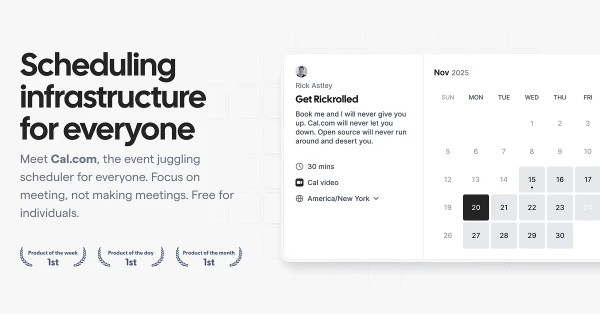
Cal.com takes care of booking links, availability, reminders, and routing a request to the right person. It is useful for consultants and teams that arrange a lot of external calls, particularly when the booking process needs questions or rules beyond picking an open slot. Its open-source foundation also gives technical teams more control over the setup. Choose it for the work of arranging meetings; transcription is a separate job.

Amie
8.6
Amie connects meeting notes to the rest of the workday. Bot-free recording and summaries feed into tasks, calendars, and connected tools, helping the follow-up move beyond a document someone has to revisit. It is a useful fit for people handling several client calls or meetings that regularly create new work. The combination is the attraction: capture the conversation, then use its context to decide and organize what happens next.

Fellow
8.6
Fellow gives teams a shared system for meeting capture, notes, and follow-up, with controls over access and retention. It supports different recording approaches, including bot-free capture, so a company can keep the process consistent across meeting types. It is worth comparing when individual notetaking subscriptions have become difficult to manage. Team ownership and governance are a bigger reason to choose it than the ability to produce another summary.

Fillout
8.6
Fillout builds forms that connect to the work behind them. Conditional questions, payments, scheduling, and database integrations make it useful for applications, onboarding, and customer intake. For a meeting workflow, it can collect the details you need before someone books. That is the reason to consider it beyond a basic form: the response can become useful data in the system where you will act on it.

Routine
8.6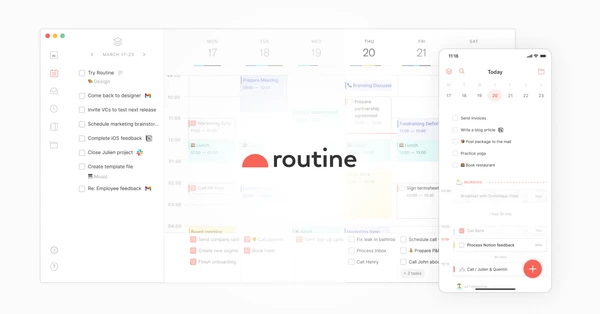
Routine keeps tasks, calendar events, and notes together, with quick capture for the things that occur to you during the day. A meeting can sit beside its context and the follow-up it creates. It is an appealing choice if managing several separate productivity apps has become a task in itself, and you want a daily planning system you can understand at a glance.

Granola
8.5
Granola is particularly appealing if you already jot down notes during calls. It combines that shorthand with the transcript to produce a fuller account, so the details you noticed help shape the summary. Audio capture happens without a meeting bot. The result feels close to a familiar notepad workflow, with a searchable record you can return to when the next conversation depends on what was agreed last time.

Jamie
8.4
Jamie captures conversations without joining the meeting as a bot, then turns them into transcripts, summaries, and action items. It works for people who move between online calls and conversations in person and want useful notes afterward. The strongest reason to try it is consistency across those different settings. Tell participants you are recording, then check a real meeting for the details that matter to your work, such as decisions and follow-ups.

Akiflow
8.3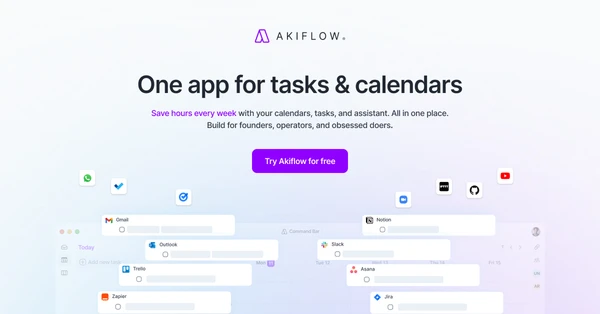
Akiflow brings tasks from different apps into a planner where you can give them time on your calendar. That connection is useful when your task list keeps growing but your schedule is already full. Quick capture and a consolidated inbox help you decide what belongs in the day. It suits people who want to plan their work deliberately and see the tradeoff when a new task competes with existing commitments.

Voicenotes
8.2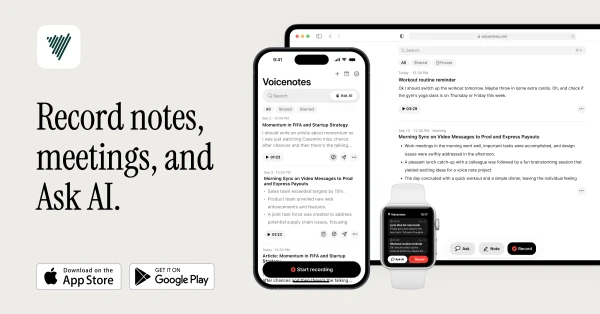
Voicenotes gives spoken ideas and meeting conversations somewhere useful to go. Record audio, get a transcript, and ask questions across your notes when you need to recover a detail. It fits people who think aloud or move between meetings and personal research throughout the day. The reason to choose it over a basic recording app is what happens afterward: you can search and work with the contents of the recording.

Cluely
8.1
Cluely offers help during a conversation as well as notes afterward. It follows the meeting context and can surface information or answers while you are still on the call. That makes it relevant to people who need to retrieve details during customer conversations or discussions about complex work. The useful test is whether those prompts improve your participation; an assistant that competes for your attention can become another distraction.
Frequently Asked Questions
What is the best AI meeting note taker?
Granola is worth starting with if you like taking brief notes that AI expands afterward. Jamie is useful to compare for online and in-person conversations. Fellow is a stronger fit to investigate when team sharing and recording policies matter. Test with the kinds of calls you have; the best choice depends on the recording workflow as much as the summary.
Is there an AI that can take meeting notes without a bot?
Yes. Granola, Jamie, and Amie offer capture without a bot joining the call, and Fellow also supports bot-free recording. They capture through the app or device instead. Make sure everyone understands that the conversation is being recorded; the absence of a visible bot does not communicate that for you.
How can I use AI in meetings?
Use it to capture the conversation, produce a draft summary, and pull out decisions or action items. After the call, check names, commitments, and deadlines before sharing the notes. You can also use past meeting context to prepare for the next conversation, which is often more useful than collecting another transcript you never revisit.
What is the best free app for taking AI meeting notes?
Granola’s Basic plan is a useful starting point. It includes AI meeting notes and chat at no charge, but only limited meeting history. If you need a lasting record of client or team discussions, compare history access and export options alongside transcription quality. A free plan is most useful when its limits fit how you will use the notes.
Can AI take notes in Zoom meetings?
Yes. Tools such as Granola, Jamie, Amie, and Fellow can capture Zoom conversations using their supported recording methods. The setup differs by app and device. Check the microphone and computer audio on a short call first, then confirm that the transcript includes both sides of the conversation before relying on it for an important meeting.