
Stats
We may earn commissions from some links.We may earn commissions from links to support our work. Learn more.
Get more AI tool alerts:
About Repurpose.io
There's never been a bigger opportunity than short-form vertical video. TikTok, Instagram Reels, YouTube Shorts, Facebook Reels, Snapchat Spotlight - same format, different platforms. The problem? Uploading to each one manually is soul-crushing busy work.
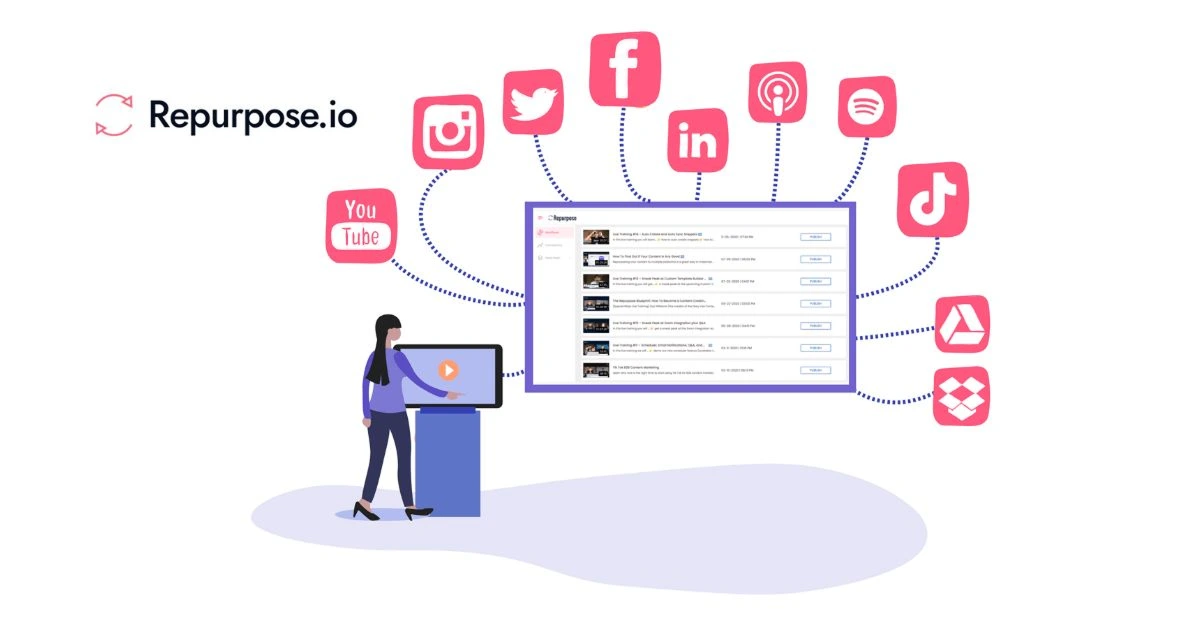
Repurpose.io automates the distribution. You upload once to your primary platform, and it pushes that same video to every other account you've connected. No more logging in and out of 10 different apps. No more copy-pasting captions. No more wondering if you forgot a platform.
It's content distribution on autopilot. Record once, publish everywhere.
Try Repurpose.io free for 14 days.
What is Repurpose.io?
Think of it as a content relay system for social media.
You create a vertical video and post it to YouTube, Instagram, TikTok, or wherever you consider your "main" platform. Repurpose.io watches that account, grabs the video the moment you publish, and automatically reposts it to all your other connected accounts across different platforms.
The tool supports Instagram, TikTok, Facebook, Pinterest, LinkedIn, Threads, X (Twitter), YouTube, Snapchat, and Social Champ. Connect multiple accounts per platform - up to 25 on the Agency tier. Each plan includes a 14-day free trial, so you can test the full system before committing.
It also includes an AI caption generator that writes social media copy based on your video content. Recent updates added one-click Google login, improved YouTube playlist fetching, and fixes for LinkedIn mentions.
Who is Repurpose.io For?
This is built for people managing content across multiple social platforms who value their time.
Solo content creators running 5-8 social accounts for a personal brand. You're already spending 45+ minutes per video just uploading and formatting for each platform. Repurpose.io cuts that to about 5 minutes.
Small business owners who post product demos, behind-the-scenes content, or tips. You need visibility on Instagram, TikTok, and Facebook, but you don't have a social media manager. Connect all three and post once.
Marketing teams managing multiple client accounts. If you're handling 10+ brands and each one needs content on 4-5 platforms, manual distribution becomes a full-time job. The Agency plan lets you connect 25 accounts per network.
Podcasters and YouTubers repurposing long-form content into clips. You've already edited 12 short clips from your latest episode. Now you need them on 6 different platforms. Repurpose.io distributes all 12 automatically.
People who shouldn't use this: anyone posting primarily text updates or static images, and anyone who only uses 1-2 social platforms. The value is in multi-platform distribution.
Repurpose.io Pros and Cons
The value proposition is straightforward. If you're publishing the same video to 5+ platforms regularly, you'll save enough time to justify the cost within the first month. If you're only managing 2-3 accounts, the time savings don't add up to much.
Repurpose.io Features: Auto-Distribution, AI Captions & Multi-Account Management
Automatic Cross-Platform Distribution
You designate one platform as your source. Post a video there, and Repurpose.io detects it and pushes it to all your connected destination accounts.
Works with TikTok, YouTube, Instagram, Facebook, LinkedIn, Pinterest, Snapchat, X, Threads, and Social Champ. The distribution happens within minutes of your original post going live. You get a notification when it's complete.
The system pulls the video file and caption from your source post. It doesn't transcode or compress - just moves the original file across platforms.
Multi-Account Connection Per Platform
Most distribution tools limit you to one account per platform. Repurpose.io lets you connect multiple accounts for each network.
Starter plan: 3 accounts per platform.
Pro plan: 10 accounts per platform.
Agency plan: 25 accounts per platform.
This matters if you run multiple brands, manage client accounts, or operate niche accounts targeting different audiences. You could run 10 separate Instagram accounts all fed from one YouTube channel.
AI-Generated Social Media Captions
The AI analyzes your video content and writes platform-specific captions. You can edit before it publishes or let it run automatically.
Quality is decent but generic. It identifies the topic and writes 2-3 sentences with relevant hashtags. Not as good as a human copywriter, but better than reusing the exact same caption across all platforms.
Recently added feature. Still improving based on the update notes.
Google Drive and Dropbox Integration
Connect your cloud storage accounts to pull video files directly. Useful if your video editor exports to a shared Drive folder and you want to distribute from there.
Saves you from downloading files locally just to upload them to social platforms. The tool grabs from Drive, then pushes to all your connected accounts.
Interactive Onboarding Video Tutorial
New users get a walkthrough video explaining how to connect accounts, set up distribution rules, and test the system. Added recently to reduce setup confusion.
The interface isn't complicated, but understanding source vs. destination accounts takes a minute. The tutorial clarifies that.
YouTube Playlist Improvements and Bug Fixes
Recent updates fixed issues with fetching videos from YouTube playlists. You can now pull entire playlists as your source content, and the tool will distribute each video as it gets added.
Also fixed LinkedIn mentions (@mentions) and duplicate post errors. The platform is actively maintained and getting more stable.
Start your free 14-day trial of Repurpose.io.
Repurpose.io vs Alternatives: Pricing & Feature Comparison
Repurpose.io wins on automatic distribution. Hootsuite, Buffer, and Later require you to manually upload your video to each platform or schedule separate posts. They're scheduling tools, not distribution tools.
Buffer and Later are cheaper for basic plans, but they don't auto-distribute. You're still uploading the same video file 5+ times. That defeats the purpose if you're trying to save time.
Hootsuite handles more content types (text, images, links) and offers better analytics, but costs 3-6x more depending on the plan. If you need comprehensive social media management beyond video distribution, Hootsuite makes sense. If you just need videos pushed everywhere, it's overkill.
If you're a creator or small team focused on vertical video across multiple platforms, Repurpose.io does exactly one thing really well. If you need full social media management with analytics, reporting, and team collaboration features, check out other tools on the leaderboard that specialize in those areas.
Repurpose.io Pricing: Plans & Cost Breakdown
All plans include access to Instagram, TikTok, Facebook, Pinterest, LinkedIn, Threads, X, YouTube, Snapchat, and Social Champ. Every tier comes with a 14-day free trial - full access, no credit card required until you choose a paid plan.
Annual billing saves 17% across all plans. That drops Starter to $29/month, Pro to $66/month, and Agency to $149/month when billed yearly.
The Starter plan works for solo creators managing a personal brand across 2-3 platforms. Three accounts per platform means you could run 3 Instagram accounts, 3 TikToks, and 3 YouTube channels from one source. The 5,000 video limit is high enough for daily posting.
Pro makes sense if you manage multiple brands or client accounts. Ten accounts per platform covers most small agency needs. Unlimited videos removes any publishing anxiety if you're posting multiple times per day.
Agency is for teams handling 15+ client accounts or large brands with regional accounts. Twenty-five accounts per platform is excessive for most users, but critical if you're distributing one video to dozens of localized accounts.
Compared to competitors, this sits in the middle. Buffer starts at $6/month but doesn't auto-distribute. Hootsuite charges $99+ for comparable account limits but includes analytics and team features Repurpose.io doesn't have.
The value comes down to your time. If you're posting to 6 platforms daily, that's 180+ manual uploads per month. Even at minimum wage, the time saved justifies the $35-$79 cost immediately.
If you only post once a week to 2-3 platforms, you're saving maybe 20 minutes per week. That's harder to justify at $35/month.
Is Repurpose.io Worth It? Honest Review
I've been using Repurpose.io for several months now, and it's completely changed how I approach content distribution.
The short-form video opportunity is massive right now. You can genuinely grow a business by showing up consistently on TikTok, Instagram, YouTube Shorts, and the other platforms. But here's the problem I ran into: uploading the same video to 6+ platforms every single day became the most tedious part of content creation. I'd spend 10 minutes recording and editing, then 45 minutes just uploading and formatting for each platform.
With Repurpose.io, I upload once to YouTube (my primary platform), and it automatically distributes to all my other accounts. I'm talking Instagram, TikTok, Facebook, LinkedIn, Snapchat - everything. I set it up once, and now it just runs in the background.
The time savings are real. I was spending probably 5-6 hours per week on manual uploads. Now that's down to maybe 30 minutes of checking that everything posted correctly. That's not an exaggeration - it's literally saving me hours every single day.
I love the multi-account feature. I run a few different niche accounts targeting different audiences, and being able to distribute one video to 10+ accounts across all platforms is exactly what I needed. No other tool I tested offered that flexibility at this price point.
The AI caption generator is fine. Not amazing, but good enough that I use it as a starting point and tweak it. Saves another 5-10 minutes per post.
Is it perfect? No. I wish it had scheduling built in and better caption customization per platform. But for pure distribution efficiency, this is a huge quality of life improvement. I can actually take full advantage of all these platforms without drowning in busy work.
Repurpose.io Review: Final Thoughts
Repurpose.io solves one specific problem exceptionally well: getting the same video onto multiple social platforms without manual uploads. If that's your bottleneck, this tool immediately pays for itself in time saved.
The Starter plan at $35/month makes sense for solo creators managing 2-4 brands across major platforms. The Pro plan at $79/month is worth it if you're handling 5+ accounts per platform or posting multiple times daily. Agency at $179/month is overkill unless you're managing a dozen+ clients.
Don't buy this if you post once a week to 2-3 platforms, or if you need robust scheduling and analytics. The time savings won't justify the cost. Do buy this if you're posting daily vertical video to 5+ platforms and you're tired of spending an hour per day on distribution busy work.
The best alternative is Hootsuite if you need full social media management, or just post manually if your volume is low enough that automation doesn't matter yet. For creators focused on short-form video, Repurpose.io hits the sweet spot between functionality and price.
Try Repurpose.io free for 14 days and see if it saves you time.
FAQ
Is Repurpose.io any good?
Yes, if you're distributing the same video to multiple platforms regularly. It saves hours per week on manual uploads. Not worth it if you only post occasionally or to 1-2 platforms.
How much does Repurpose.io cost?
Starter is $35/month for 3 accounts per platform. Pro is $79/month for 10 accounts per platform. Agency is $179/month for 25 accounts per platform. All plans include a 14-day free trial.
What is Repurpose.io used for?
Automatically distributing video content across multiple social media platforms. You post once to your main platform, and it republishes to all your connected accounts on Instagram, TikTok, YouTube, Facebook, LinkedIn, and others.
How do I cancel my Repurpose.io subscription?
Check their website for current cancellation instructions. Most SaaS tools let you cancel through account settings or by contacting support before your next billing cycle.
How does Repurpose.io work?
You connect your social media accounts and designate one as your source platform. When you post a video there, Repurpose.io detects it, grabs the video file and caption, then automatically posts it to all your connected destination accounts within minutes.
Is Repurpose.io good for podcasters?
Yes, if you're creating video clips from podcast episodes and distributing them as short-form content. It handles the multi-platform upload process. But it won't help with audio-only podcast distribution to Spotify or Apple Podcasts.


