
Stats
We may earn commissions from some links.We may earn commissions from links to support our work. Learn more.
Get more AI tool alerts:
About Dot
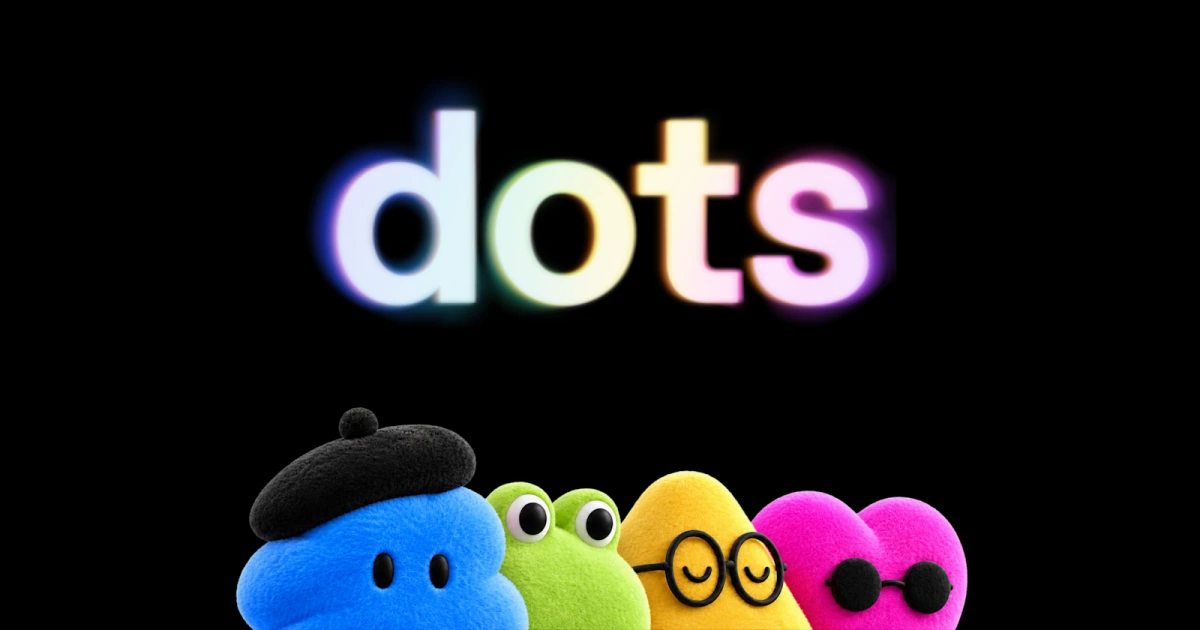
Dot is OpenAI's personal agent inside ChatGPT. Give it an ongoing job, connect the apps it needs, and it can keep working between conversations on its own cloud computer. The interesting part is the continuity: your research, preferences, and unfinished work do not have to start again with every prompt.
I would look at Dot first if I already used ChatGPT heavily and wanted help carrying projects forward. It starts with ChatGPT memory, can coordinate work through connected apps and Codex, and brings decisions back for review. That is a more useful proposition than another place to ask questions.
Your first Dot is included with an eligible ChatGPT Pro or Business Premium plan. New personal buyers can enter through Pro at $100/month, but access is rolling out gradually. Pro's rollout excludes the EEA, Switzerland, and the UK; Business Premium covers all supported ChatGPT regions. Being able to pay for ChatGPT does not automatically mean you can create a Dot today.
What is OpenAI Dot?
OpenAI calls the product family “dots.” A personal Dot is a persistent agent powered by GPT-6 Astra, with memory, a browser, and a cloud computer. You describe an outcome, supply context, and set boundaries for what it may do without another approval.
The difference from a regular ChatGPT conversation is ongoing responsibility. A conversation can help draft a launch plan. Dot is designed to keep following that launch as requirements change, prepare revisions, and flag decisions that still need you. Regular ChatGPT already has memory and task tools; Dot puts continuing work around them.
This is OpenAI's product, not the unrelated Dot companion from New Computer. It also is not a ready-made fleet of independently provisioned employees. The current personal offering starts with your first Dot. Additional personal dots are planned, while specialist dots with company identities and dedicated responsibilities are a separate enterprise-pilot effort.
Who is Dot for?
Dot makes the most sense for people whose work keeps changing after the first draft: creators preparing a release, founders managing launch materials, researchers updating an analysis, or developers turning feedback into smaller fixes. Those jobs benefit from retained context because the next task depends on decisions made earlier.
A useful first brief might be: review a new interview transcript, suggest clip candidates, prepare show notes, and draft a newsletter introduction using the agreed audience and tone. OpenAI describes this kind of production support. It does not establish that Dot will automatically edit and export a finished video.
I would start with a repeatable preparation job that has a clear deliverable. “Return a revised launch checklist and flag statements that no longer match the product” gives an agent something more concrete to finish than “help with my business.”
If the problem is remembering your own obligations, a task-management app may be enough. Dot becomes interesting when you want work performed against those obligations. Occasional questions and a few reminders are a weak reason to take on a $100 monthly subscription.
Dot pros and cons
The strongest advantage is a familiar working context. The main buying uncertainty is capacity: knowing an agent is included does not tell you how much substantial work it can finish within the allowance.
Dot features: Ongoing work, ChatGPT memory and connected apps
Follow a project beyond the first request
Dot can work on several projects while you continue sending feedback or new tasks. Its profile separates work into In progress, Scheduled, and Completed, and you can open its computer to inspect what it is doing.
That visibility matters when the job has more than one stage. For a launch, you might first ask for inconsistencies between the product notes and announcement draft, then approve revisions to the draft. A changed requirement should become a correction to ongoing work, rather than another disconnected conversation.
Recurring checks are set through conversation. Ask Dot to review your calendar every morning or return to a research question on a schedule, then edit the timing, repetition, and notifications in the Scheduled view. Pausing Dot stops it until you resume.
Build on ChatGPT memory
Dot receives memories from ChatGPT and can form its own context from conversations and permitted connected apps. For an established ChatGPT user, this is the part I would weigh most heavily: the agent starts closer to the preferences and projects you already described.
Memory also has a practical cleanup detail. Disconnecting an app stops that connection but does not erase information Dot already learned. Resetting Dot removes its own conversations, saved memories, and scheduled tasks. Shared ChatGPT memories are managed separately, and files or Codex threads created elsewhere remain separate artifacts.
Use a cloud computer, with optional local access
Dot's cloud computer is separate from your laptop. You can inspect its browser and work without granting it access to local files. Local computer access starts turned off and is enabled through the ChatGPT desktop app on the machine you want to connect.
Once enabled, Dot can work with local files, use local skills, and create ChatGPT Work or Codex tasks. It can also use the local browser when its cloud browser is blocked. Local work appears as separate sidebar tasks, so the distinction is visible rather than hidden behind one chat.
For Codex cloud work, you must first create the environment in Codex. Dot can then create tasks there. That makes it a possible coordinator for an existing development setup, not a substitute for configuring the environment your project requires.
Reach it through work conversations
Dot supports conversation in ChatGPT and messaging through Slack and Microsoft Teams. Create it in the desktop app or desktop browser first; the mobile app becomes a conversation surface after setup when mobile access reaches your account.
Texting is narrower. OpenAI's help documentation describes a limited beta for US Pro users, not Business or Enterprise workspaces, and not every US Pro account has access. You can call Dot in ChatGPT, but it cannot initiate calls to you at launch. It can use a connected personal email account; it cannot have its own standalone email address yet.
OpenAI says its plugin ecosystem reaches more than 4,000 apps. That is an ecosystem claim, not a promise that every action in every app will be available to your account. The connections you actually need matter more than the catalog size.
Separate background research from approved action
Dot's proactive research uses read-only tools on permitted connected sources and saves private notes. That research cannot itself send messages, change app content, or control a browser. Scheduled jobs and authorized follow-up work are separate paths that can take action under the normal rules.
Custom Rules and an Auto-review layer help determine whether work proceeds, needs approval, or comes back to you. Purchases using saved merchant cards require approval. Password changes stay with the user. These controls make it possible to delegate preparation without treating every suggestion as permission to act.
Dot vs alternatives: Which assistant fits your work?
Grok Bot is the more direct option if you want separate named roles now. Its Bots can pass work between each other, but they share one account-level computer and app logins. I would compare that role-based organization with Dot's single primary assistant rather than assume either design produces better results.
Poke is a better starting point for someone who mainly wants email, calendar, and reminders through Apple Messages, Telegram, WhatsApp, or RCS. Its current plans are Free, $19/month Pro, and $199/month Ultra. Poke documents worldwide availability, which is relevant if Dot's personal rollout excludes your country.
Claude is also a credible work-focused alternative. Cowork and chat are merging into one Claude, with cloud tasks that continue after the laptop closes. Compare the context and tools you already use; cloud continuity alone is not a reason to choose Dot over Claude.
Dot pricing and availability
Dot is included through ChatGPT plans rather than sold as a separate standalone subscription. The September 2026 access picture is:
The old $200 Pro price is not the required entry price for a new Dot user. OpenAI currently offers the $100 personal route, and Pro does not have annual billing. Business Premium's $100 figure is a per-seat monthly equivalent with annual billing, not a $100 whole-team monthly plan.
Your first Dot includes an allowance for deeper work, with extended limits for the first month after launch. OpenAI has not published a numeric task, token, or compute-hour allowance for that work. Conversations with Dot do not count toward ChatGPT usage limits, but tasks it starts or manages in Codex or ChatGPT Work count toward those products' normal limits.
I would treat this as an included agent with workload limits, not unlimited execution. Existing eligible subscribers can assess the incremental value without a separate Dot subscription. New buyers should have a specific job in mind before upgrading, especially while the longer-term capacity details remain unclear.
If that fits your work and account, explore Dot in ChatGPT.
Verdict: Start with a job you already repeat
Choose Dot if ChatGPT already holds useful context for your work and you want an agent to keep a project moving between conversations. I would begin with a recurring preparation task: revised launch materials, an updated research brief, or a content package that comes back for review.
I would not upgrade solely for occasional chat or reminders. Grok Bot is worth comparing for multiple named roles, Poke for messaging-first personal assistance, and Claude for work already centered there. Dot's $100 entry price needs a recurring use, not curiosity alone.
FAQ
How do I create a Dot?
Use the ChatGPT desktop app or a desktop browser with an eligible account. Follow the onboarding prompts and connect the apps needed for your first job. Creation is not supported on mobile, and mobile web does not support dots.
Why is Dot missing from my Pro account?
Rollout can take several days, and Pro access excludes the EEA, Switzerland, and UK. Account rollout and region both matter. Business Premium has a different region policy, covering supported ChatGPT markets.
Can I create several personal dots?
The current offer starts with your first personal Dot. OpenAI has announced plans for additional dots and ways to scale their output, but those are future options rather than a current add-on price list.
Can Dot call or text me?
You can call Dot through ChatGPT, but it cannot initiate calls at launch. Texting is a limited US Pro beta with account-specific access; it is not available in Business or Enterprise workspaces. Message and data charges may apply.


